
MetaMask Hardware Wallet Integration: Ledger, Trezor und andere verbinden
Ein Nutzer mit mittlerem bis hohem Vermögen in Ethereum und ERC-20 Token steht vor einem klassischen Sicherheitsdilemma: Die Häufigkeit, mit der er dezentralisierte Anwendungen nutzt, erfordert eine bequeme Verbindung zwischen Wallet und dApp. Gleichzeitig möchte er sein Vermögen nicht auf einem mit dem Internet verbundenen Gerät speichern, das täglich Anfragen verarbeitet und potenziellen Angriffsszenarien ausgesetzt ist. Die Lösung liegt nicht darin, Hardware-Sicherheit und Alltagsnutzung zu trennen, sondern sie technisch zu integrieren.
MetaMask hat sich seit 2016 als das zentrale Gateway zwischen Nutzern und der Ethereum-basierten Web3 entwickelt und wird heute von über 100 Millionen Menschen weltweit verwendet. Die Anwendung selbst ist non-custodial, das heißt, private Schlüssel bleiben unter Kontrolle des Benutzers. Doch diese Sicherheit lässt sich durch eine Hardware-Wallet-Integration um eine entscheidende Schicht erhöhen: Die privaten Schlüssel verlassen nie das Hardware-Gerät, während MetaMask als Signierungsschnittstelle fungiert. Das ist nicht die einzige Lösung für langfristige Vermögensicherheit, aber für Nutzer, die regelmäßig DeFi-Plattformen, Token-Swaps und dApps nutzen, kann sie einen stabilen Mittelweg bieten.
Warum eine Hardware-Wallet allein nicht ausreicht
Eine Hardware-Wallet wie Ledger oder Trezor bietet maximalen Schutz für private Schlüssel, indem sie diese vom Netzwerk isoliert. Das ist ein entscheidender Vorteil gegen Malware, Keylogger und direkten Zugriff. Allerdings hat die reine Hardware-Wallet einen praktischen Nachteil: Sie ist nicht direkt mit der dezentralisierten Finanzwirtschaft verbunden. Um mit einer DeFi-Plattform zu interagieren, einen Swap zu tätigen oder NFTs zu verwalten, muss der Nutzer das Gerät mit einem Computer oder Smartphone verbinden, eine Transaktion im Hardware-Wallet bestätigen und warten, bis die Signatur versendet wird.
Für gelegentliche Transaktionen ist dieser Prozess akzeptabel. Für tägliche oder mehrmals täglich durchgeführte Operationen wird er aufwändig. MetaMask löst diesen Konflikt, indem es als Signierungsschnittstelle fungiert: Das Programm verwaltet nicht die privaten Schlüssel, sondern leitet die Transaktionsanforderungen an die Hardware-Wallet weiter. Der Nutzer sieht auf dem Hardware-Gerät die genaue Transaktion, bestätigt sie physisch durch einen Button oder PIN und autorisiert nur dann die digitale Signatur. MetaMask selbst erhält die Signatur, kann sie aber nicht fälschen oder ändern, ohne dass das Hardware-Gerät es bemerkt.
Das Modell funktioniert, weil die Blockchain-Validierung nicht von der Verwaltung abhängt. Ob ein privater Schlüssel auf einem Telefon, in einer Hardware-Wallet oder auf einem Stück Papier gespeichert ist, ist dem Netzwerk egal. Es interessiert sich nur für die Signatur, die beweist, dass der Schlüsselinhaber die Transaktion autorisiert hat. MetaMask kümmert sich also um Benutzererfahrung, Kryptographie und Netzwerkkommunikation, während die Hardware-Wallet für das letzte entscheidende Element sorgt: den Beweis, dass der Inhaber der privaten Schlüssel selbst aktiv war.
Ledger und Trezor: Die meistverbreiteten Optionen
Ledger und Trezor sind nicht die einzigen Hardware-Wallets, aber sie sind die Standardwahl für MetaMask-Integrationen. Ledger wurde 2014 gegründet und hat sich auf sichere Speicherung und Verwaltung spezialisiert. Das Unternehmen bietet mehrere Gerätemodelle an, von der günstigen Ledger Nano S Plus bis zur erweiterten Ledger Nano X mit Bluetooth. Trezor, ein tschechisches Unternehmen, verfolgt einen anderen Ansatz mit Open-Source-Code und dezentralisiertem Design. Beide Geräte verwenden Hardware-Sicherheitselemente, um private Schlüssel vor Extraktion zu schützen, auch wenn das Gerät physisch komproittiert wird.
Der praktische Unterschied zwischen ihnen hat weniger mit der Sicherheit der Speicherung zu tun als mit der Benutzerfreundlichkeit bei der Integration. Ledger setzt auf proprietäre Firmware und eine dedizierte Anwendung namens Ledger Live, die für MetaMask-Nutzer als Vermittler dient. Trezor hingegen nutzt offene Standards und erfordert weniger externe Software, was einigen Nutzern ein niedrigeres Abstraktionsniveau bietet. Für die meisten Szenarien führen beide Geräte zum selben Ziel: Eine Transaktion wird auf dem Hardware-Gerät angezeigt, der Nutzer drückt einen Button, und die Signatur wird in MetaMask zurückgegeben.
Wichtig ist, dass weder Ledger noch Trezor die privaten Schlüssel jemals an MetaMask übertragen. Sie generieren Keys lokal auf dem Gerät, gemäß BIP-39 und BIP-44 Standards, genau wie eine reine Software-Wallet. Der Unterschied ist die physische Isolation und die lokale Signierung. Ein Nutzer, der sein Hardware-Wallet verliert, kann seine Vermögen mit der 12-Wort-Wiederherstellungsphrase auf einem anderen Gerät wiederherstellen. Ein Nutzer, dessen MetaMask-Installation kompromittiert wird, verliert nicht automatisch seine Coins, weil die tatsächliche Autorisierung vom Hardware-Gerät kam.
Schritt-für-Schritt-Verbindung mit MetaMask
Der Prozess der Integration folgt einem standardisierten Ablauf. Zunächst muss der Nutzer ein Hardware-Wallet erstellen und die 12-Wort-Wiederherstellungsphrase an einem sicheren Ort speichern. Diese Phase wird offline durchgeführt und sollte niemals fotografiert, digital gespeichert oder geteilt werden. Danach wird das Hardware-Wallet über USB oder Bluetooth mit dem Computer oder Smartphone verbunden und die Gerätesoftware aktualisiert. Ledger-Nutzer müssen die Ledger Live App öffnen und das Ethereum-Programm aktivieren. Trezor-Nutzer können direkt zu MetaMask übergehen.
In MetaMask wird in den Einstellungen eine Option wie "Hardware-Wallet verbinden" ausgewählt, oder diese befindet sich direkt auf der Importseite. Die Anwendung erkennt das angeschlossene Gerät und zeigt eine Liste von Adressen an, die aus der Wiederherstellungsphrase des Hardware-Wallets abgeleitet sind. Der Nutzer wählt eine oder mehrere Adressen aus und importiert sie in MetaMask. Diese Adressen sind jetzt im MetaMask-Interface sichtbar und können zum Empfangen und Signieren von Transaktionen verwendet werden. Wichtig ist: MetaMask zeigt die Konten an, kann aber nicht auf die privaten Schlüssel zugreifen.
Wenn der Nutzer dann eine Transaktion sendet, einen Swap durchführt oder einen Smart Contract mit MetaMask auslöst, erfolgt an dieser Stelle die Verzweigung. Normalerweise würde MetaMask die Transaktion mit dem lokal gespeicherten privaten Schlüssel signieren. Mit Hardware-Wallet-Integration wird die Transaktion stattdessen zum angeschlossenen Gerät gesendet. Das Hardware-Wallet zeigt auf seinem Display die Transaktion an: Empfängeradresse, Menge, Gaspreis und andere Details. Der Nutzer bestätigt physisch mit einem Button oder einer PIN. Nur dann wird die Signatur generiert und an MetaMask zurückgesendet. MetaMask versendet diese signierte Transaktion an das Netzwerk.
Sicherheitsgewinne und praktische Grenzen
Der Hauptsicherheitsgewinn ist offensichtlich: Der private Schlüssel verlässt niemals ein physisches Gerät, das speziell dafür entworfen wurde, ihn zu schützen. Selbst wenn ein Angreifer MetaMask komplett kontrolliert, kann er keine Transaktionen autorisieren, ohne das Hardware-Wallet physisch in den Händen zu halten und die Bestätigung zu sehen. Das schließt Remote-Attacken aus der Rechnung aus und erhöht die Hürde für lokale Attacken erheblich.
Ein zweiter Sicherheitsgewinn ist die Sichtbarkeit auf dem Hardware-Display. Schadsoftware auf dem Computer kann nicht einfach die Transaktion verändern, die MetaMask anzeigt, ohne dass auch das Hardware-Gerät sieht, dass etwas nicht stimmt. Ein Benutzer, der gelernt hat, auf dem Hardware-Display zu überprüfen, ob die Adresse, der Betrag und das Ziel korrekt sind, kann sich gegen viele Phishing- und Austausch-Angriffe verteidigen. Das ist nicht perfekt, aber es ist ein deutlicher Fortschritt gegenüber reiner Software-Verwaltung.
Allerdings gibt es auch Grenzen. Wenn der Nutzer das Hardware-Wallet mit dem Telefon verbindet, auf dem auch MetaMask läuft, und dann eine bösartige dApp nutzt, die falsche Informationen anzeigt, kann er immer noch getäuscht werden. Die Hardware-Wallet zeigt die technische Transaktion, nicht deren wirtschaftliche Konsequenzen. Ein Nutzer, der eine Genehmigung (Approval) für einen Smart Contract erteilt, erlaubt diesem, seine Token ausgeben zu können. Das Hardware-Wallet wird die Approval-Transaktion korrekt anzeigen, aber nur als technische Daten. Der Nutzer muss selbst verstehen, dass er einem Smart Contract Zugriff auf sein Vermögen gibt.
Mehrere Hardware-Wallets und Adressverwaltung
MetaMask kann mehrere Hardware-Wallets parallel verwalten. Ein Nutzer könnte ein Ledger und ein Trezor anschließen und aus beiden Geräten verschiedene Adressen importieren. Das bietet Redundanz: Wenn ein Gerät verloren geht, kann der Nutzer immer noch auf die Adressen des anderen Geräts zugreifen. Allerdings ist die Verwaltung mehrerer Seed Phrases eine zusätzliche Verantwortung. Jede Wiederherstellungsphrase muss separat und sicher gespeichert werden. Wenn beide Geräte die gleiche Phrase verwenden, ist der Sicherheitsvorteil aufgehoben.
Ein häufiger Fehler ist die Vermischung von Adressen aus Hardware-Wallets mit Adressen aus Software-Wallets. MetaMask zeigt im Interface nicht an, ob eine Adresse von einem Hardware-Wallet stammt oder nicht. Wenn ein Nutzer vergisst, dass eine bestimmte Adresse ohne Hardware-Schutz existiert, kann er Vermögen dorthin senden und dann ungeschützt zurücklassen. Die Lösung ist klare Beschriftung: Der Nutzer sollte seine Adressen in MetaMask mit Namen versehen, die eindeutig machen, welche Geräte dahinter stehen.
Das BIP-44-Standard-Derivationspfad-System ist bei Hardware-Wallets standardisiert, aber Trezor und Ledger nutzen in einigen Fällen unterschiedliche Pfade. Das bedeutet, dass die erste Ethereum-Adresse eines Ledger Nano S möglicherweise nicht identisch ist mit der ersten Ethereum-Adresse eines Trezor, auch wenn beide Geräte die gleiche Wiederherstellungsphrase haben. Für Nutzer, die zwischen Geräten wechseln möchten, ist das ein technisches Detail, das berücksichtigt werden muss.
Netzwerk-Sicherheit und die Rolle von MetaMask
MetaMask fungiert bei Hardware-Wallet-Integration als non-custodial Schnittstelle, aber es ist nicht "vertrauenslos" im absoluten Sinne. Die Anwendung muss trotzdem eine zuverlässige Verbindung zu Blockchain-Knoten aufrechterhalten, die aktuelle Gaspreis-Daten bereitstellen und die gesendeten Transaktionen verarbeiten. Wenn MetaMask oder der Knoten, mit dem es verbunden ist, Transaktion-Daten verfälscht, könnte ein Nutzer unbeabsichtigt zustimmen, etwas anderes zu tun als intendiert.
Aus diesem Grund bietet MetaMask die Möglichkeit, einen benutzerdefinierten RPC-Endpunkt einzugeben. Ein Nutzer mit hohen Sicherheitsanforderungen kann seinen eigenen Ethereum-Knoten betreiben und MetaMask so konfigurieren, dass es mit diesem privaten Knoten kommuniziert. Das erhöht die Kontrolle, erfordert aber auch technische Kenntnisse und Hardware-Ressourcen. Für die Mehrheit der Nutzer ist es ausreichend, MetaMask die Standardeinstellungen zu überlassen und sich auf die Hardware-Wallet als letzte Authentifizierungsebene zu verlassen.
Ein subtiler Punkt ist die Gebührenprognose. MetaMask zeigt vor jeder Transaktion an, wie hoch die geschätzten Gasminen sind. Diese Schätzung kommt vom Netzwerk, nicht vom Hardware-Wallet. Ein Nutzer könnte eine Transaktion mit niedriger Gebühr genehmigen, nur um später festzustellen, dass das Netzwerk viel überlasteter ist und die Transaktion steckenbleibt. Die Hardware-Wallet validiert nicht die Vernünftigkeit der Gebühr, nur dass sie autorisiert wurde. Die Verantwortung für die Gasoptimierung bleibt beim Nutzer und MetaMask.
Recovery und Fehlerbehandlung
Was passiert, wenn das Hardware-Wallet verloren oder beschädigt wird? Der Prozess ist relativ einfach, wenn die Wiederherstellungsphrase gesichert wurde. Der Nutzer kauft ein neues Hardware-Wallet des gleichen Herstellers, gibt die alte Wiederherstellungsphrase ein, und das neue Gerät generiert die gleichen privaten Schlüssel. MetaMask wird automatisch erkennen, dass die gleichen Adressen verfügbar sind, und die Vermögenswerte sind zugänglich.
Das setzt voraus, dass die Wiederherstellungsphrase wirklich sicher aufbewahrt wurde. Eine Wiederherstellungsphrase in einer Cloud-Notiz, in einem digitalen Passwort-Manager oder als fotografierter Screenshot ist nicht sicher. Sie sollte handschriftlich auf Papier notiert oder in ein Stahlblatt gestanzt sein und in einem physischen Safe oder einem anderen sicheren Ort aufbewahrt werden. Kommt die Phrase abhanden, sind die Vermögenswerte verloren, und MetaMask kann nicht helfen. Das ist kein Fehler der MetaMask-Sicherheit, sondern ein Merkmal von echter Dezentralisierung: Es gibt keine Wiederherstellung durch zentrale Unterstützung.
Wenn das Hardware-Wallet bei Eintritt einer Transaktion nicht erkannt wird, sollte der Nutzer nicht einfach die Transaktion erneut versuchen. USB-Verbindungsprobleme, Treiber-Fehlkonfigurationen oder Hardware-Defekte können die Ursache sein. Der sichere Ansatz ist, das Hardware-Wallet abzutrennen, neuzustarten, es neu zu verbinden und in MetaMask zu aktualisieren. Wenn das Problem nicht gelöst wird, kann der Nutzer das Hardware-Wallet-Gerät in eine andere Software oder einen anderen Computer integrieren, um zu überprüfen, ob das Problem bei MetaMask liegt oder beim Gerät.
Best Practices für kontinuierliche Sicherheit
Ein Hardware-Wallet ist kein "Sicherheit einmal konfigurieren und vergessen"-Lösung. Der Nutzer sollte regelmäßig überprüfen, dass das Gerät physisch intakt ist, dass die Firmware aktuell ist und dass die Software-Integration funktioniert. Für Ledger-Nutzer bedeutet das, Ledger Live gelegentlich zu öffnen und nach Firmware-Updates zu suchen. Für Trezor-Nutzer ist der Prozess ähnlich, aber oft weniger zentral verwaltet.
Ein praktisches Vorgehen ist, eine kleine Test-Transaktion durchzuführen, wenn das Hardware-Wallet lange nicht verwendet wurde. Der Nutzer sendet einen kleinen Betrag an eine eigene zweite Adresse und bestätigt, dass das Gerät die Transaktion korrekt anzeigt und dass das Geld ankommt. Das kostet ein paar Euro an Gasminen, aber es validiert, dass die gesamte Infrastruktur noch funktioniert, bevor größere Vermögenswerte bewegt werden.
Ein letzter Punkt ist die Isolation der Entwicklungs- und Produktionsumgebungen. Nutzer, die aktiv mit experimentellen dApps oder neuen Smart Contracts arbeiten, sollten eine separate Hardware-Wallet-Adresse für Tests nutzen und ihre Hauptvermögenswerte auf einer anderen Adresse halten. Das begrenzt das Risiko, dass eine bösartige oder fehlerhafte Anwendung Zugriff auf alle Guthaben bekommt. MetaMask macht es einfach, mehrere Adressen zu verwalten; die Sicherheitsentscheidung, sie zu trennen, liegt beim Nutzer.
Download und offizielle Quellen
MetaMask ist kostenlos, aber der Download muss aus offiziellen Quellen erfolgen. Betrüger erstellen regelmäßig gefälschte MetaMask-Versionen, die Seed Phrases stehlen oder Transaktionen manipulieren. Nutzer sollten MetaMask direkt von metamask.io herunterladen oder über den offiziellen Chrome Web Store, Firefox Add-ons Store und die App Stores von Apple und Google. Wenn Sie unsicher sind, können Sie jetzt herunterladen und die Authentizität überprüfen, indem Sie die Prüfsummen mit der offiziellen Website vergleichen.
Nach der Installation sollte der Nutzer MetaMask öffnen und die Extension-Berechtigung überprüfen. MetaMask benötigt Zugriff auf Browserdaten, um Blockchains zu abfragen, aber es sollte nie Zugriff auf Passwörter oder andere sensible Daten haben. Verdächtige Berechtigungsanforderungen sind ein Zeichen für eine gefälschte Version. Im Smartphone-Bereich sind die ersten Indizien für Authentizität die Verifizierungsbadges in den App Stores und die Tatsache, dass die Anwendung von ConsenSys offiziell entwickelt wird.
Häufig gestellte Fragen
Kann ich mit einem Hardware-Wallet und MetaMask anonym bleiben?
Ein Hardware-Wallet schützt Ihre privaten Schlüssel vor Diebstahl, aber nicht vor Blockchain-Analyse. Transaktionen auf Ethereum oder anderen öffentlichen Blockchains sind sichtbar und können verfolgt werden, wenn die Adressen mit realen Identitäten verbunden sind. Der Sicherheitsvorteil der Hardware-Wallet liegt in der Vermeidung von Software-Exploits, nicht in Anonymität. Datenschutz und Authentizität sind unterschiedliche Probleme.
Muss ich bei jeder Transaktion das Hardware-Wallet anschließen?
Ja. Die Verbindung kann über USB oder Bluetooth erfolgen, aber der physische Geräte muss angeschlossen sein und die Transaktion auf dem Display bestätigen. Das ist absichtlich so designed: Wenn Sie Transaktionen ohne physische Bestätigung durchführen könnten, hätte die Hardware-Wallet keinen Sicherheitsvorteil. Die Unbequemlichkeit ist ein Feature, nicht ein Fehler.
Was passiert, wenn ich meine Hardware-Wallet-Wiederherstellungsphrase verliere?
Wenn die 12-Wort-Phrase verloren geht und das Gerät selbst nicht mehr funktioniert, ist der Zugriff auf die Vermögenswerte dauerhaft blockiert. Es gibt keine Rückeroberung durch MetaMask, Ledger oder andere Dritte, weil die Vermögenswerte wirklich dezentralisiert sind. Deshalb ist die sichere Aufbewahrung der Wiederherstellungsphrase genauso wichtig wie die Hardware-Wallet selbst. Sie sollte handschriftlich oder in Stahl dauerhaft aufbewahrt werden, nicht digital.

Installing Coinbase Wallet (Extension and Chrome): what you can do, what you must not assume
Surprising but true: you can use Coinbase Wallet without a Coinbase.com account, and that single fact alone changes how most U.S. users should think about custody, security, and convenience. Many guides blur the line between the centralized exchange and the self-custodial wallet; that conflation hides the most important trade-offs. This piece walks through how the Coinbase Wallet browser extension (including Chrome), its NFT and staking features, and its safety controls actually work — and where they break down in everyday practice.
The aim is practical: give you a mechanism-first mental model you can reuse next time you install an extension, link an NFT marketplace, or approve a DeFi contract. I’ll correct three common misconceptions, explain the browser-extension specific options (like Ledger integration), highlight the wallet’s defensive features, and close with decision-ready heuristics for staying safe while exploring NFTs and DeFi from Chrome.

How Coinbase Wallet (extension) actually works — mechanism, not marketing
At core, Coinbase Wallet is a non-custodial Web3 wallet: the extension stores private keys locally (or links to an external hardware signer) and signs transactions requested by websites (dApps). Because custody is local, Coinbase the company has no ability to freeze, restore, or reverse those keys or transactions. That fact underpins most practical consequences: if you lose the 12-word recovery phrase, the funds are irrecoverable; conversely, you keep full control but also full responsibility.
The Chrome extension is functionally equivalent to the mobile app in many respects: it supports Bitcoin, Solana, Dogecoin, Ripple, Litecoin and all EVM-compatible chains (Ethereum, Polygon, Avalanche, BNB Chain, plus Layer‑2s like Optimism, Arbitrum, and Base). The extension also connects to Ledger hardware wallets so you can keep keys offline and use the browser only as a transaction interface — a critical separation for higher-value accounts.
Security features that matter (and where they don’t)
Coinbase Wallet includes several defensive mechanisms that are not cosmetic. The DApp blocklist and spam protection draw on public and private threat databases to warn users before interacting with flagged dApps and automatically hide known malicious airdropped tokens. For Ethereum and Polygon, the transaction preview feature simulates smart-contract calls to estimate how balances will change before you hit confirm. Token approval alerts notify you when a contract requests broad permission to move funds.
Those tools materially reduce common attack surfaces — but they are not perfect. Blocklists can lag, simulation engines can miss edge-case contract logic, and approval alerts depend on users understanding the difference between a one-off permission and an unlimited approval. In short: these features are powerful mitigations, not replacements for user judgment. Treat them as an intelligent guardrail, not an impenetrable suit of armor.
NFTs inside the wallet: convenient display, still risky to flip
Coinbase Wallet auto-detects NFTs across Ethereum, Solana, Base, Optimism, and Polygon and surfaces traits, rarity, and floor-price signals inside an NFT gallery. That’s useful for quick portfolio checks or for confirming receipt of an airdrop. But remember: seeing an NFT in your gallery is not the same as it being “safe” to interact with. Malicious contracts are often paired with convincing art or copy, and floor prices can be manipulated on small collections.
If you’re using the Chrome extension to connect to a marketplace or a mint site, prefer transaction previews and token-approval alerts: look carefully at approval scopes (never grant unlimited approvals to unknown contracts) and use multiple addresses to segregate speculative NFT activity from long-term holdings.
Installing the extension in Chrome — a short procedural checklist with caveats
Installation is straightforward, but the security posture you choose during setup matters more than the click itself. Steps in practice: (1) add the Coinbase Wallet extension to Chrome from a reputable source, (2) create a new wallet or connect a hardware wallet (Ledger), (3) securely record the 12-word recovery phrase offline, and (4) optionally enable passkey or smart wallet features for faster access. Hardware integration with Ledger is the single most effective upgrade for desktop users who transact frequently from Chrome.
Two important caveats: passkey and smart-wallet conveniences can reduce friction but introduce different threat models (device compromise or account recovery complexity). And because the wallet is independent from Coinbase Exchange, you do not need to verify identity or link a centralized account to use the extension — a privacy plus, but also a reminder that no central support will restore access should you lose the recovery phrase.
Common myths vs the reality you need to know
Myth 1: “If I connect Coinbase Wallet, Coinbase can reverse bad transactions.” Reality: No. The wallet is self-custodial — Coinbase cannot freeze or recover wallet-held assets. Myth 2: “Built-in protections mean I can approve anything the dApp asks for.” Reality: Transaction previews and blocklists lower risk but do not eliminate smart-contract logic exploits or social-engineering traps. Myth 3: “NFTs shown in my gallery are automatically trusted.” Reality: Visible items can still be associated with malicious contracts or rug pulls; metadata display is informative, not protective.
These distinctions matter because they change who you call on when something goes wrong (no centralized help), how you structure your accounts (use multiple addresses and a hardware wallet for savings), and how you evaluate convenience features (passkeys are useful, but consider the recovery path).
Decision framework: when to use extension-only, when to pair with hardware, and how to manage addresses
Use this simple three-node heuristic: Value at risk, frequency of use, and required UX. If you hold small, experimental sums for NFT drops or DeFi trials, an extension-only setup with careful approval habits may be acceptable. If you hold longer-term or larger-value positions (staking ETH, holding rare NFTs), pair the extension with Ledger. For recurring DeFi interactions, create a separate “operational” address for approvals and keep a cold “vault” address for savings that requires Ledger to spend.
Multiple address management inside Coinbase Wallet makes segregation straightforward: generate separate addresses per use-case and avoid cross-approving contracts across those addresses. This is a practical way to limit blast radius if an approval or private key gets compromised.
Where the wallet’s features influence real outcomes — and what remains speculative
Established: the wallet’s transaction previews, token approval alerts, and DApp blocklist reduce common loss vectors by making contract effects and permissions visible. Strong-evidence-with-caveats: hardware integration with Ledger significantly reduces key-exposure risks on desktop, but it can be defeated by compromised host machines that alter transaction contents sent for signing. Plausible interpretation: passkey/smart-wallet adoption could broaden mainstream use by lowering friction, but it shifts the industry question from “how to custody” to “how to design robust recovery UX without centralization.”
Unknown/open: whether sponsored zero-fee gas and passkey flows will materially change risk behavior among casual users. They likely increase activity, but whether that raises average losses (through more careless approvals) or lowers them (through better UX and fewer seed-phrase backups) is an empirical question that will play out as adoption grows.
For a direct download or extension link and a tidy installation summary from a maintained source, refer here: https://sites.google.com/coinbase-wallet-extension.app/coinbase-wallet/
What to watch next — signals that will change how I’d advise you
Monitor three signals: increased sophistication of simulation previews (they must cover more contract patterns), wider hardware wallet integration among desktop flows (reduces on‑host signing exposure), and UX around recovery for passkeys/smart wallets (the harder they work without central recovery, the less friction but the greater the need for usable, auditable recovery tools). If previews begin to include clear, human-readable summaries of approval scopes, that will materially lower accidental infinite approvals.
Conversely, watch for growth in glamorous but small-cap NFT markets paired with social-engineering campaigns. Those are fertile ground for losses even with strong wallet protections, because human trust — not software limits — is often the path attackers exploit.
FAQ
Do I need a Coinbase.com account to use the extension?
No. Coinbase Wallet is independent from the centralized Coinbase exchange. You can create, install, and use the wallet without any Coinbase.com account. That independence preserves privacy and control but also means there is no central help desk to recover lost recovery phrases.
Can I use Ledger with the Chrome extension?
Yes. The browser extension integrates with Ledger hardware wallets so you can sign transactions using a cold key. This combination is the strongest practical protection for desktop users because it isolates private keys from the host machine.
Are NFTs displayed in the wallet safe to sell or transfer immediately?
Seeing an NFT in the gallery confirms ownership and metadata display, but it doesn’t guarantee the associated contract is safe. Check token approvals, confirm marketplace contract addresses, and avoid granting unlimited permissions to unverified contracts before transferring or listing valuable NFTs.
What happens if I lose my 12-word recovery phrase?
Because Coinbase Wallet is self-custodial, losing the recovery phrase generally results in permanent loss of access to funds. There is no central restoration path. Use secure offline backups and consider hardware wallet integration for key separation.
Do transaction previews prevent scam contracts?
They reduce risk by simulating balance changes for Ethereum and Polygon transactions, but they don’t catch every malicious logic path. Treat previews as advanced diagnostics: helpful, but not infallible.
Ledger Live Without a Hardware Device: Using Watch Mode as Your Primary Portfolio Dashboard for Multi-Wallet Tracking
A cryptocurrency investor managing assets across multiple platforms faces a recurring operational problem: portfolio fragmentation. Funds may be distributed across self-custodied wallets on different chains, held at exchanges, staked in protocols, or locked in DeFi contracts. Checking each one requires switching between applications, remembering addresses, and tracking balances manually. The temptation to consolidate into a single custodian for convenience is strong, but so are the security and control arguments for maintaining distributed custody. An intermediate approach exists: using a unified monitoring application to observe all accounts without moving assets or exposing private keys.
Ledger Live, now officially branded as Ledger Wallet, is primarily known as the companion application for Ledger hardware devices—the piece that communicates with a secure element holding private keys and requesting physical confirmation before signing transactions. But the application includes a less publicized feature called Watch Mode, which separates portfolio monitoring from transaction signing. Watch Mode lets a user add accounts, view balances, track transaction history, and observe holdings without requiring a hardware device or private key access. For power users maintaining custody across multiple wallets, exchanges, and self-hosted solutions, this creates an opportunity to build a unified dashboard without centralizing assets or weakening custody arrangements.

The architecture of Watch Mode and its security premise
Watch Mode operates on a simple principle: an address, extended public key, or account identifier is sufficient to observe transaction history and current balance without accessing the private key. A user can add an Ethereum address, Bitcoin extended public key (xpub), Solana account, or compatible blockchain identifier to Ledger Watch Mode, and the application will synchronize transaction data and holdings from the blockchain or associated indexers. The private keys remain entirely separate, stored on a hardware device, in a different application, held by an exchange, or managed through another custody provider. Ledger Watch Mode does not sign transactions itself; it only reads the public record.
This separation addresses a specific threat model: a compromised computer or phone. If malware or a hostile actor gains access to an internet-connected device, they can observe what the Watch Mode user sees—balances, addresses, transaction history, and portfolio composition. That information is already public on most blockchains, so the incremental risk is limited to network metadata (which addresses the device is querying) and the fact that the attacker now knows a device in that location is interested in those particular holdings. What the attacker cannot do is steal private keys or forge transactions, because those keys do not exist on the compromised device.
The trade-off is visibility without control. A user checking a Watch Mode balance sees the current state of the blockchain, but cannot send transactions directly from the application. If the intention is to make a payment from that account, the user must return to the device where the private key is stored, initialize a transaction there, and broadcast it separately. For long-term portfolio tracking, this is usually acceptable. For active trading or frequent payments, it is an operational cost that affects usability.
Ledger Wallet's broader functionality—blockchain app installation, firmware updates, hardware device management—remains available only when a compatible Ledger device is connected. Watch Mode is a constrained feature by design. Understanding that boundary prevents frustration when attempting operations that require private key access.
Building a unified tracking system across self-custodied and exchange accounts
A practical scenario illustrates the value. A user holds Bitcoin in a hardware wallet using one xpub, Ethereum and ERC-20 tokens in a separate self-custodied wallet on a different device, staking rewards in a DeFi protocol, and a portion of holdings on a regulated exchange for liquidity. Checking the portfolio previously required opening the Bitcoin application, navigating to a blockchain explorer for the Ethereum address, visiting a staking dashboard, and logging into the exchange. Each context requires different software, authentication, and mental switching.
Adding those addresses and xpubs to Ledger Watch Mode consolidates them into one interface. The Bitcoin balance appears alongside Ethereum holdings, with transaction history timestamped and categorized by account. The user can organize accounts into folders or groups to separate different custodians or asset classes. Portfolio analytics—total value, asset allocation, transaction history filtering—become available without logging into each platform. This is particularly useful during periods of market volatility or portfolio rebalancing decisions, where seeing the complete picture quickly matters more than the ability to execute immediately.
Exchange accounts can be added by copying the deposit address for each asset or, in some cases, using an extended public key if the exchange supports it. The user must verify the address or xpub through a method that does not depend on the exchange's web interface, such as checking a withdrawal confirmation email, downloading account statements, or cross-referencing against a previously recorded address. This prevents a compromised exchange account or phishing attempt from leading to Watch Mode importing a wrong address. The rule is simple: add a public identifier only if you can verify it through a separate channel.
Over time, Ledger portfolio management becomes a central hub for observation while custody remains distributed. This arrangement reduces the incentive to move assets to a single location for convenience and removes a common pressure point where security and usability collide. The user gets the unified view without the single point of failure.
Public key exposure and what it does and does not reveal
Adding an address or public key to Watch Mode makes that identifier visible to the Ledger application and any analytics or indexing service Ledger Wallet queries. This is already the case the moment a transaction is broadcast to a blockchain: the address is recorded permanently. Watch Mode does not create the visibility; it surfaces information that is already public. However, the act of querying those addresses from one device could theoretically create a pattern that an observer (such as a network eavesdropper or ISP) might correlate over time. If the same device repeatedly queries a set of related addresses, an attacker with network visibility might infer that the device belongs to a user holding those assets.
This threat is substantially smaller than the threat of private key exposure, but it is real enough that users concerned with high-level privacy should consider using Ledger Wallet over a VPN or Tor connection. The application does not have built-in Tor support like some other portfolio trackers, so the VPN or Tor client must operate at the device level. Alternatively, users can accept the network metadata risk as acceptable in exchange for the monitoring convenience, especially if the addresses themselves are not directly linked to personal identity through exchange history, on-chain evidence, or public record.
Public key exposure also has implications for third parties who know or suspect that you hold certain assets. A person viewing your addresses on a blockchain explorer already knows what you hold and can see transaction history. Adding those same addresses to Ledger Watch Mode does not weaken your privacy against observers of the public blockchain. It may slightly increase the risk to someone analyzing Ledger Wallet's telemetry or network traffic, but that is a lower-order concern than preventing theft, custody loss, or being fooled into sending funds to a wrong address.
The important distinction is between address observation and private key exposure. Watch Mode excels at the former because it removes the latter risk entirely. A user should not attempt to increase privacy by hiding legitimate addresses within Watch Mode; that creates operational confusion without security benefit. Instead, privacy decisions should address the actual threats: keeping private keys offline, verifying addresses through independent channels, and understanding which third parties have already observed your holdings and transaction history.
Ledger accounts and organizational workflows for multi-wallet tracking
Ledger Wallet allows multiple accounts to be created and organized within the application. An account represents a specific address or group of addresses on a blockchain—often derived from the same extended public key but at different indices. A user can create separate accounts for different purposes: a business account for client-received payments, a savings account for long-term holdings, a donations or charitable-giving account, and a speculation account for higher-risk trades.
This organizational structure carries over to Watch Mode. A user can create accounts for each self-custodied wallet, exchange deposit address, or third-party service. Naming each account clearly—"Kraken USDC," "Bitcoin Hardware Wallet," "Ethereum Staking," "Polygon Savings"—makes the consolidated view more useful than a flat list of addresses. When reviewing portfolio performance or investigating where a large holding is located, account labels provide immediate context without requiring external notes or a separate spreadsheet.
The organizational boundaries also help prevent mistakes. If a user intends to send a transaction from a specific custody point, the account structure in Watch Mode makes it obvious which private key device to use. Conversely, if Watch Mode is intended purely for observation, the read-only nature of the interface removes the possibility of accidentally attempting a transaction from the wrong application. The separation between observation and action becomes explicit rather than implicit.
Portfolio performance tracking across accounts also becomes practical. A user can observe whether specific holdings are outperforming others, whether rebalancing has shifted the allocation away from targets, and whether any account has been inactive for a period. These observations inform decisions about where to deploy new capital, whether to withdraw from an exchange and store on a hardware wallet, or whether a staking position is still appropriate. Ledger portfolio management combined with disciplined account organization turns a tool designed for hardware device users into a strategic tracking system for the already-decentralized.
Transaction history, blockchain indexing, and data freshness considerations
Ledger Wallet displays transaction history by querying blockchain indexers and full nodes. The data freshness depends on the indexer's update frequency and the blockchain's confirmation time. A transaction sent moments ago may not appear in Watch Mode for several seconds to minutes, depending on the asset and network. Most users find this acceptable for portfolio tracking, where near-real-time observation matters less than accurate historical data. For high-frequency trading or monitoring pending payments, separate applications designed for that purpose are more appropriate.
The indexing layer introduces a data intermediary. Ledger Wallet uses its own infrastructure to serve blockchain data, which is more private than using a public blockchain explorer—you are not logging into a website that could track your viewing activity—but less private than running a full node locally. A user who runs their own node can import public keys into Ledger Wallet while queries resolve against their local node, combining the convenience of a unified interface with the privacy benefits of independent infrastructure. This configuration requires additional setup and is rarely done by casual users, but it is technically available for those prioritizing network privacy.
Accuracy of historical data is another consideration. A blockchain reorganization, indexer error, or stale cache could theoretically result in incorrect balances or missing transactions being displayed. For critical decisions involving large amounts, a user should verify the current balance and recent transactions by checking the blockchain directly through an explorer or personal node rather than relying solely on Ledger Wallet's display. This is not a weakness unique to Watch Mode; it applies to any centralized indexing service, including exchange portfolio trackers and third-party analytics platforms.
The consistency of address support also matters. Ledger Wallet supports major blockchains and address formats, but not every chain, token type, or Layer 2 network is available. If a significant holding exists on an unsupported chain, that account cannot be added to Watch Mode, requiring a separate tracking method. Before designing a portfolio tracking workflow around Ledger Wallet, a user should verify that all intended blockchains and assets are supported or plan alternative solutions for gaps.
Comparing Watch Mode to dedicated portfolio tracking applications
Specialized portfolio tracking applications such as Koinly, Delta, or CoinGecko Portfolio offer features that Ledger Wallet Watch Mode does not. These applications often include tax reporting, more sophisticated analytics, price alerts, and detailed performance metrics. They also support a broader range of blockchains, tokens, and DeFi protocols. For users requiring comprehensive tax documentation or detailed performance attribution, a dedicated tracker alongside Ledger Watch Mode may be necessary.
Ledger Watch Mode's advantage is tighter integration with the broader Ledger ecosystem and the absence of a separate sign-up or authentication layer. If a user is already managing accounts through a Ledger crypto wallet for hardware device management, Watch Mode requires no additional registration, login credential, or third-party account. The application is available immediately on any device where Ledger Wallet is installed, and the data is not stored on a separate service's servers. This reduces account takeover risk and simplifies onboarding for users already within the Ledger ecosystem.
The trade-off is that Watch Mode is not purpose-built for portfolio analysis. The interface assumes a user managing multiple accounts from hardware devices; the analytics features reflect that bias. A user expecting sophisticated charting, custom alerts, or detailed backtesting analysis will find Ledger Wallet limiting. For straightforward balance observation, transaction history review, and rough allocation tracking, Watch Mode is often sufficient and preferable to creating yet another service account.
A hybrid approach is common among experienced users: Watch Mode for daily observation and account management, a dedicated tracker for tax and detailed analytics, and blockchain explorers for specific transaction verification. No single tool handles all requirements optimally, so combining them according to specific needs is often more practical than forcing all tracking into one application.
Practical security practices for Watch Mode deployment
Although Watch Mode does not expose private keys, the device running it should still follow security discipline. The addresses and xpubs in Watch Mode are sensitive information if linked to identity; they should not be shared unnecessarily or synced to unencrypted cloud services. A user should verify that Ledger Wallet is installed from the official source (the Ledger website or official app stores) and that the application is kept updated. Malware or a compromised version of Ledger Wallet could theoretically redirect transactions to wrong addresses or manipulate displayed balances, although the application's read-only nature in Watch Mode limits attack surface compared to a full transaction-signing wallet.
Device storage should be encrypted, and access should be protected by a strong password or biometric authentication. If a device is lost or stolen while Watch Mode is active, the attacker gains visibility into the portfolio but not access to move funds. This is a significant advantage over storing unencrypted notes with addresses and balances in a phone's notes app or an online document. The addresses remain visible, but at least the device itself requires authentication to unlock.
When adding accounts to Watch Mode, verify each address or xpub through an independent channel. If importing an exchange deposit address, confirm it through a withdrawal email or the account settings page accessed directly (not through a link in email). If importing an xpub from a hardware wallet, derive it from the device using the hardware wallet's application rather than copying it from a recovery phrase or previous export. This prevents typos and reduces the risk of adding a wrong address that could feed false data into the portfolio view.
Periodic review of the accounts listed in Watch Mode is also advisable. As custody arrangements change—an exchange account is closed, a staking service is replaced, or assets are consolidated—the Watch Mode accounts should be removed to keep the interface current and prevent confusion. A stale address that was previously used but is no longer active creates unnecessary clutter and could lead to mistakes if forgotten context is later rediscovered.
When Watch Mode is insufficient and full application functionality is needed
Watch Mode is designed for observation, not transaction initiation. If a user intends to send assets, stake holdings, swap tokens, or interact with DeFi contracts, those actions require a device with private key access. Ledger Wallet's full functionality—including the ability to install blockchain applications, manage staking through compatible protocols, and execute swaps—is available only when a Ledger hardware device is connected. Users attempting to sign transactions from Watch Mode will be prompted to connect a hardware device or use an alternative signing mechanism, depending on the asset and action.
This separation is by design. It enforces the boundary between monitoring and acting, reducing the likelihood of casual mistakes. However, it also means that Watch Mode alone cannot serve as a complete portfolio management tool for active traders or users who frequently execute transactions. The design is optimized for buy-and-hold strategies, staking management, and passive observation, not for frequent rebalancing or complex transaction execution.
Users requiring both unified monitoring and frequent trading might consider maintaining Watch Mode for portfolio observation while keeping separate signing applications for execution. This requires discipline to avoid confusion about which application manages which accounts, but it provides both the convenience of centralized tracking and the control of distributed custody. The alternative—using Ledger Watch Mode as a monitoring layer and separate applications for each custody provider—accepts less integration in exchange for better specialization.
The strategic value of unified observation without unified custody
The original appeal of consolidating crypto assets into a single exchange or custodian is simplicity: one login, one interface, one place to track and manage everything. The security cost of that simplicity is a single point of failure. Exchange insolvency, regulatory action, account takeover, or technical failure can affect all holdings at once. Distributed custody avoids that concentrated risk but introduces the operational burden of managing multiple interfaces and remembering separate details for each account.
Watch Mode bridges that gap by providing unified observation without unified custody. A user can maintain assets across multiple self-custodied wallets, hardware devices, staking services, and exchanges while viewing them all from a single consolidated interface. The operational ease of a unified dashboard is recovered without the security cost of moving assets to a single location. This model works particularly well for longer-term holdings, diversified strategies, and users who can tolerate the slight friction of switching applications when they do need to execute transactions.
For power users managing substantial portfolios, this approach becomes increasingly valuable. The ability to see the complete picture—how much is in hardware wallets, how much is staked, how much is on exchanges for trading, how much is deployed in DeFi—informs better decision-making about rebalancing, risk management, and capital allocation. Ledger Watch Mode makes that comprehensive view achievable without requiring the underlying assets to be consolidated into a single account or service.
The watch-only model also scales naturally. As a user's portfolio grows and custody arrangements become more complex, adding new accounts to Watch Mode is trivial, whereas consolidating everything into a single interface would require repeated migrations and increasing reliance on a single provider. The discipline of maintaining separated custody is reinforced rather than undermined by using a unified monitoring tool.
Frequently asked questions
Can I send cryptocurrency using Ledger Watch Mode?
No. Watch Mode is read-only and displays balances and transaction history without signing capability. To send assets, you must use the application or device where the private key is stored. This separation is intentional—it prevents accidental transactions while maintaining portfolio visibility on any internet-connected device.
Is it safe to add my bitcoin xpub or Ethereum address to Watch Mode?
Adding a public key or address to Watch Mode does not expose your private key or put your funds at risk of being moved by others. The public key is already recorded on the blockchain when you transact. Watch Mode adds a small network metadata risk if an observer can correlate queries, but the benefit of unified portfolio tracking typically outweighs this for most users. Verify addresses through independent channels to prevent typing errors.
What blockchains and assets does Ledger Watch Mode support?
Ledger Wallet supports major blockchains including Bitcoin, Ethereum, Solana, Litecoin, Cardano, and Polygon, among others. Support varies by asset type; not every token or Layer 2 network is available. Before designing a portfolio tracking workflow around Watch Mode, verify that your intended blockchains and assets are supported or plan alternative solutions for unsupported holdings.
Why Liquidity Provision and Market Making Decide Which DEX Professionals Use for Perpetuals
“High liquidity” is a phrase that persuades many marketing decks, but a useful mental model for a professional trader is more precise: liquidity quality is depth × resilience × speed. A platform can display deep bids and asks on a snapshot, and still be fragile when a large order, coordinated flows, or an oracle shock arrives. For US-based professional traders who need tight spreads, low slippage, and predictable execution on perpetual futures, understanding the mechanics that create (and break) on-chain liquidity is the difference between strategy edge and surprise losses.
This explainer walks through how liquidity is created on decentralized perpetuals, how modern DEXs blend order books and liquidity pools to solve different problems, and where trade-offs — from centralization to tokenomics — change what you should expect at the desk. I use the recent operational design and news around Hyperliquid as a running example to show concrete mechanisms, practical limits, and signal events to watch next week and next quarter.

Mechanics: How on-chain market making for perpetuals actually works
Perpetual futures are synthetic contracts that track an underlying price without settlement dates. Two liquidity mechanisms are common on-chain: central limit order books (CLOBs) and automated market makers (AMMs). CLOBs let professional traders post discrete limit orders and express directional convictions; AMMs provide continuous curves that make instantaneous matching easy. A hybrid — an on-chain CLOB supplemented by a community-owned liquidity vault — combines the precision of limit orders with the spread-tightening effect of pooled capital.
Key components that implement this in practice: (1) order routing and matching speed, (2) a liquidity backstop to absorb large market orders, (3) robust margin and liquidation mechanics, and (4) mechanism design that discourages manipulative round-trips. Execution speed matters because latency converts to cost when high-frequency actors arbitrage small price differences. On a bespoke Layer‑1 optimized for trading, sub-second block times and absorbed gas costs materially lower the all-in trading friction.
Hyperliquid’s architecture illustrates these mechanics: it runs an on-chain CLOB for professional order types (TWAP, scaled orders, stop-loss, etc.), while the Hyper Liquidity Provider (HLP) Vault acts as an AMM-style backstop that tightens spreads. The chain’s design — HyperEVM with HyperBFT consensus and ~0.07s block times — is explicitly tuned to reduce execution slippage for aggressive order flow and to let advanced order management function smoothly without network congestion.
Why hybrid liquidity is attractive — and where it breaks
Hybrid models reduce the classic trade-off between tight spreads and continuous depth. Limit orders provide depth at the displayed prices; a vault supplies hidden depth and can absorb sweeps. For a pro trader, that means smaller market-impact costs on both entry and exit and more predictable performance for levered perpetuals up to 50x. When the platform waives user-level gas, friction falls further: the only recurring cost becomes maker/taker fees, which are easier to price into an algo or a PnL model.
However, the hybrid model creates new failure modes. First, vaults depend on predictable fee and liquidation revenue to remain solvent; extreme tail events — sudden multi-asset deleveraging or oracle divergence — can deplete vault reserves and widen spreads. Second, centralized trade-offs enter the picture: achieving sub-second latency often requires fewer validators and more trusted infrastructure. That design increases the risk vector in governance or validator misbehavior compared with widely distributed L1s. For market makers, this is a risk-premium decision: lower slippage today, systemic counterparty or operational risk tomorrow.
Another practical limit is the platform’s ability to prevent manipulation on low-liquidity alt markets. Recent operational history shows that low-liquidity pools are attractive targets for quote-stuffing, spoofing, and wash-like flows when strict automated position limits and circuit breakers are absent. A market that allows large, unchecked positions without robust automated checks can produce flash squeezes that harm liquidity providers and traders alike.
Clearing, margin, and the non-custodial model — advantages and frictions
Non-custodial exchanges change the legal and operational calculus for pro desks: traders keep control of private keys and collateral, and liquidations are enforced by decentralized clearinghouses. This removes settlement counterparty risk inherent in centralized exchanges, but it raises engineering constraints. Liquidations must be rapid and well-incentivized; otherwise, undercollateralized positions can create insolvency cascades. When margin enforcement is decentralized, the quality of the liquidation mechanism (speed, auction design, and participation incentives) becomes an axis of liquidity health.
Cross-margin vs. isolated margin choices affect both portfolio management and pool stability. Cross-margin improves capital efficiency — useful for institutional flows such as Ripple Prime’s recent integration that routes over 300 clients into cross-margin perpetuals — but it increases contagion risk if one position deteriorates sharply. Isolated margin limits that contagion but forces higher capital usage. For firms optimizing capital utilization, the trade-off between resilience and efficiency is central.
Tokenomics, treasury moves, and liquidity incentives
Native tokens and treasury strategies can enhance liquidity if they align incentives correctly. A fixed-supply governance token used for staking and fee distributions concentrates long-term incentives with early adopters; that can bootstrap deep liquidity provision if early holders stake into vaults or act as market makers. But token unlocks and treasury collateralization strategies matter materially.
For example, a recent scheduled release of nearly 9.92 million HYPE tokens — a notable supply unlock — created a short-window market pressure event that liquidity providers had to absorb. Separately, the treasury’s use of 1.86 million HYPE as options collateral to generate yield is a sophisticated approach to monetize reserves, but it also ties treasury solvency to option market behaviour. These moves are neither uniformly positive nor negative; they change the supply-demand dynamics that underpin both passive liquidity in vaults and active quoting by market makers.
Practical implication: when reviewing a DEX, watch token unlock schedules, treasury hedging strategies, and any publicized institutional integrations. Each alters the expected fee revenue and tail-risk exposure for liquidity providers.
Comparative heuristics: when to prefer a hybrid on-chain CLOB + vault vs other designs
Here are decision-useful heuristics that pro traders can reuse when selecting a venue for perpetuals:
- Choose hybrid CLOB + vault when you need advanced order types, low displayed spreads, and reliable sub-second execution for high-frequency or algorithmic strategies.
- Choose pure AMM-based venues when you accept larger structural spreads but want simplicity and passive exposure without running a market-making engine.
- Prefer venues with robust automated circuit breakers and position limits for trading low-liquidity alt contracts; the absence of those controls materially raises manipulation risk.
- If capital efficiency is your priority, prefer platforms that support cross-margin and have deep institutional flow integrations — but stress-test their liquidation rules.
Hyperliquid’s combination of an on-chain CLOB, the HLP Vault, advanced order management, and a bespoke high-speed L1 positions it where the first heuristic applies. The network’s centralization trade-off (a limited validator set) and recent HYPE token unlocks are the kind of operational signals you should factor into risk models.
Where this design is likely to evolve and what to monitor next
Three signals will indicate whether these hybrid, high-speed DEX designs converge toward reliable venues for professional US-based traders or revert toward niche use:
- Protocol-level circuit breakers and automated position limits: adoption of stricter, transparent rules reduces manipulation risk and improves institutional uptake.
- Validator decentralization roadmap: a plan (and measurable progress) to increase validator diversity reduces centralization premium and regulatory optics.
- Treasury and token-supply management: predictable and market-aware unlock schedules and hedging strategies lower tail risk for liquidity providers.
Operational news in early February shows activity on these fronts: institutional integration with Ripple Prime opens a reliable channel of professional order flow, while large token unlocks and treasury hedging via options increase the near-term volatility the network must absorb. These are not contradictory: institutional flow can stabilize order books if the infrastructure handles spiky events and if vault economics remain intact.
For traders in the US, regulatory and counterparty perception also matter. Non-custodial designs reduce custody concerns, but centralization choices and the behavior of token distributions will remain part of enterprise due diligence.
FAQ
How does a hybrid on-chain order book plus vault reduce slippage compared with a pure AMM?
Limit orders in an order book show depth at discrete prices, enabling large taker trades to execute against posted liquidity rather than consuming an entire bonding curve. The vault supplies supplemental liquidity when the order book thins, narrowing spreads during routine flow and absorbing temporary imbalances. The hybrid reduces average slippage but adds dependency on the vault’s capital and fee-income model; if vault reserves are stressed, slippage can widen quickly.
Is non-custodial always safer than centralized custody for professional traders?
Non-custodial models remove a class of counterparty risk (exchange insolvency, withdrawal freezes), but they introduce other operational demands: wallet security, on-chain execution risks, and exposure to auction timing. Also, non-custodial systems rely on the efficacy of decentralized clearing and liquidation mechanisms; deficiencies there can create market risks that traders must manage or hedge.
What specific events should I monitor to assess short-term liquidity risk on a DEX?
Track token unlock schedules, treasury hedging announcements, major institutional integrations, oracle or index provider changes, and any incidents of manipulation or liquidation cascades. Each can cause transient or sustained changes in the depth and resilience of order books.
How do validator centralization and zero-gas trading interact from a risk perspective?
Zero-gas reduces trading friction and is attractive to pro desks; however, achieving it often requires centralized fee absorption and fast consensus, which can mean fewer validators. That accelerates execution but compresses decentralization guarantees. The trade-off is explicit: better latency and cost at the price of higher systemic centralization risk.
Decision-useful takeaway: treat liquidity as a system property, not a snapshot metric. Ask how depth is funded (who supplies capital and why), how the system responds under stress (liquidations, circuit breakers), and what governance or token events can shift incentives overnight. If you want to explore a specific implementation that combines a CLOB, an HLP-style vault, advanced order types, and a high-performance L1, look closely at the operational signals — token unlocks, treasury strategies, and institutional integrations — and weigh them against validator centralization and market-manipulation history before allocating capital.
For traders who want to examine how one such hybrid exchange combines these elements in practice, the project provides documentation and a public interface that summarize their architecture and incentives; you can review their materials here: hyperliquid.
Rabby Wallet for Tax Compliance: Tracking Multi-Wallet Transactions Across Mobile and Desktop
A cryptocurrency holder manages assets across multiple devices and platforms: Ledger hardware for cold storage, MetaMask Mobile on an iPhone for occasional trades, Trust Wallet for staking, and a desktop portfolio tracker used irregularly. When tax time arrives, assembling a complete transaction history becomes a practical nightmare. Records are scattered across five applications, each with its own export format and potential gaps. The accountant receives incomplete CSVs, manual spreadsheets full of typos, and spreadsheets missing entire transaction categories such as internal transfers, yield events, and gas fee refunds. Rabby Wallet's architecture—built to consolidate multiple account sources into a single interface—can meaningfully reduce that friction, provided users understand how the wallet's multi-account model actually functions and what still requires manual reconciliation.
The critical insight is that a wallet managing accounts from different sources does not automatically solve tax reporting; it solves visibility and partial aggregation. Rabby can ingest hardware wallets, mobile wallet integrations, and imported MetaMask accounts, displaying balances and transaction history from those sources in one place. That consolidation is not trivial for tax purposes: when a user can see all transactions in a timeline, duplicate entries become visible, sequence matters, and missing pieces become obvious. However, the wallet's role is to present transaction data accurately to the user, not to generate compliant tax reports. The responsibility for completeness, classification, and filing remains with the account holder and their tax advisor. Understanding that boundary determines whether Rabby becomes a reliable starting point for accurate reporting or remains another source of partial information.
How Rabby's multi-account architecture supports transaction consolidation
Rabby Wallet allows a single user to create, import, and manage multiple accounts using different methods: seed phrases, private keys, hardware wallets, and mobile wallet integrations. This design is fundamentally different from a single-account wallet. Rather than forcing a user to choose one authentication method, Rabby presents an account selection interface where users can switch between an imported MetaMask account, a Ledger device, a native seed-phrase account, and a Trust Wallet connection, all within the same application and browser session.
From a tax perspective, this multi-account capability serves a primary function: it eliminates the operational need to log into five separate applications to find a transaction record or confirm a balance. A user or accountant can open Rabby, select all relevant accounts from the sidebar or account menu, and review transactions across those accounts in sequence. This is not full historical aggregation—Rabby displays transaction history based on what the blockchain records and what the connected wallets expose—but it is a significant step toward completeness. Each connected account, whether from a hardware wallet, mobile integration, or imported private key, can contribute its transaction history to the user's view.
The wallet supports hardware wallet integration with Ledger, Trezor, GridPlus, OneKey, Keystone, BitBox02, and CoolWallet. For a user managing an ice-cold hardware wallet on Ledger and also trading on mobile through MetaMask Mobile, Rabby can show both transaction histories together. The hardware wallet maintains private key isolation on the device, while Rabby acts as the interface to view and sign transactions. The mobile integrations—including MetaMask Mobile, Trust Wallet, TokenPocket, imToken, Math Wallet, Rainbow, Bitget Wallet, and Zerion—can be connected through WalletConnect or direct import, allowing Rabby to read transaction histories from those applications without requiring the user to re-enter private keys or seed phrases.
Watch-only address functionality is equally important for tax tracking. A user may hold funds in addresses that do not reside in any wallet the user directly controls—perhaps a business account, an exchange deposit address monitored for tax purposes, or a multisig arrangement. Adding those addresses as watch-only allows Rabby to monitor their activity without requiring key material. For a business or high-volume trader, being able to see every relevant address's transactions from a single interface is foundational to accurate reporting.
The practical limits of imported accounts and transaction history
Importing a MetaMask account into Rabby by entering the seed phrase or private key does not magically create a complete transaction history. Rabby will display transactions that the blockchain recorded and that its indexing service can access. If a user switched MetaMask to a different recovery phrase two years ago without exporting the transaction history first, the old account's records may no longer be visible in MetaMask, and importing the old seed phrase into Rabby will show only the blockchain transactions associated with that address. Some transactions—especially if they involved older or less common protocols—may not be indexed or may appear with incomplete metadata such as missing labels or incorrect value attribution.
The same limitation applies to Rabby Wallet mobile app connection scenarios. If a user connects Trust Wallet through WalletConnect or imports the seed phrase, Rabby can see transactions Trust Wallet recognizes, but only for addresses and chains that Trust Wallet indexed. If the user previously used a different wallet application—say, an older version of a mobile wallet that is no longer maintained—and then imported the same seed phrase into Trust Wallet, the transaction history visible in Rabby is bounded by what Trust Wallet can retrieve. Historical blockchain data is immutable and publicly available, but Rabby's presentation of that data is limited by the indexing service's coverage and speed.
Institutional wallet integrations add another layer. Rabby supports Safe multisig wallets, Cobo custody solutions, Argus, Amber, Fireblocks, Jade Wallet, and MPCVault. When a user adds a Safe account, they are typically adding a watch-only address and relying on the multisig contract's transaction log. Fireblocks and Cobo transactions may require exports from those platforms to match Rabby's view. Multi-signature or custody transactions often have timing discrepancies: the blockchain records a transaction when it is signed and broadcast, but the custody platform may record it when it was submitted for approval or when it was finally executed. Tax accountants must reconcile those timing differences, and no wallet interface can automatically resolve them.
Rabby's value in these scenarios is not perfect historical coverage; it is clarity about what is missing. A user who checks five separate wallets and assembles a manual list may not notice a gap. A user who imports all accounts into Rabby and reviews transactions in chronological order can more easily spot the year when activity is sparse, the chain where no transactions appear, or the address that has been forgotten. That negative space is easier to see in an aggregated view than in separate applications.
Contact management and manual record keeping for tax documentation
Rabby includes contact functionality, allowing users to save labels for frequently used addresses. This is a tax-preparation tool, not a privacy feature. When a user sends funds to an exchange deposit address, a multisig participant address, or a service provider address repeatedly, labeling that contact in Rabby makes the connection explicit. An accountant reviewing the transaction history can immediately see that address X is "Kraken deposit," and address Y is "Tax professional's wallet." This prevents misclassification and makes it obvious when an account has received transfers from unrelated sources.
However, contact management does not replace written documentation. Tax authorities, especially those in jurisdictions with detailed reporting requirements, often require contemporaneous documentation: records of the transaction date, the counterparty, the business purpose, the consideration received, and the method of valuation. Rabby shows the transaction on-chain, but it cannot capture the reason why a transaction occurred. A transfer to an address labeled "USD stablecoin sale" must be paired with records of when those stablecoins were acquired, at what price, and whether the sale proceeds went to a bank account or were used to purchase other assets. The wallet is one input to that documentation; it is not the complete record.
Users preparing for tax season should therefore treat Rabby as a discovery tool first and a record source second. Export the transaction history from Rabby in a standard format—CSV is common—and then cross-check it against bank records, exchange deposit addresses, and any manual trades executed outside of tracked wallets. This process will identify duplicates, missing pieces, and inconsistencies. If a bank deposit matches a blockchain transaction, the link should be documented. If a transaction history gap exists, that gap should be investigated before reporting.
Coordinating desktop and mobile wallet activity in one reporting timeline
Many high-volume cryptocurrency users maintain a split workflow: cold storage and long-term holdings on a hardware wallet connected to a desktop application, and active trading or frequent transactions on mobile through a separate wallet. Rabby unifies that split by allowing both to be viewed together. A user with a Ledger device managed through Rabby on desktop can also connect a Trust Wallet or MetaMask Mobile through WalletConnect, seeing both the infrequent hardware transactions and the frequent mobile trades in a single transaction list.
For tax reporting, this unification exposes patterns that would otherwise be fragmented across two reports. If a user swaps tokens on mobile weekly and stakes assets on hardware monthly, those two transaction types can appear in their chronological sequence. That context matters for understanding the user's trading pattern and portfolio management. It also matters for cost basis tracking: if a user buys tokens on an exchange, receives them in a mobile wallet, and then transfers them to cold storage, the cost basis should follow that token through all three events. A unified timeline makes the flow of assets easier to trace.
The downside is that unifying timelines also exposes discrepancies. A user who thought they made only occasional trades may be startled to see transaction frequency across mobile wallets they use casually. A trader who imported multiple mobile wallets may discover duplicates if the same trade is executed simultaneously on two platforms or if the same wallet was imported twice. These discrepancies are real problems that a separate-wallet approach would have hidden. The solution is to review the unified history carefully, identify any duplicate entries or unexplained gaps, and resolve them before export. This is more work in the moment but prevents larger errors later.
Institutional and custodial account compliance reporting
Organizations and high-net-worth individuals often use institutional custody services such as Fireblocks, Cobo, or Amber for on-chain asset management, combined with multisig solutions like Safe. Rabby's integration with these platforms means that an organization's accountant can potentially see all on-chain activity—cold storage through hardware wallets, hot wallets through mobile integrations, and custody-managed assets through institutional connections—in one interface.
The practical value for compliance is that it becomes possible to verify that custody platform records match the blockchain. If Fireblocks shows a transaction as executed on a given date and time, that transaction should be visible on-chain with the same timestamp. If there is a discrepancy, it must be investigated before filing. Rabby cannot directly resolve custody records into tax lots—that requires mapping the transaction to the order that triggered it—but it can confirm that the transaction did occur and associate it with the correct wallet or smart contract address.
For organizations using multisig arrangements such as Safe, Rabby displays the multisig contract's transactions, but it shows them from the perspective of the blockchain. A Safe transaction involves multiple signers and an execution event; the blockchain records the execution, but the Safe interface shows the approval history. A tax accountant must understand this distinction: the transaction date for tax purposes is typically the blockchain confirmation date, not the date when a transaction was signed or when the execution was initiated. Rabby's transaction list will show the confirmation date, aligning it with how tax authorities typically interpret blockchain records.
Exporting transaction data and integrating with tax software
Rabby allows users to export transaction histories in formats suitable for tax software integration. A CSV export from Rabby will include transaction dates, amounts, asset types, counterparty addresses, and transaction hashes. This export is a starting point, not a complete tax report. Tax software such as Koinly, CryptoTrader.Tax, or ZenLedger can ingest the CSV and attempt to automatically classify transactions into income, capital gains, transfers, and so forth. The software's accuracy depends on how complete the export is, how clear the transaction labels are, and how well the software's classification rules match the jurisdiction's requirements.
A common error is uploading a Rabby export to tax software without verifying that all transactions are present. If the export covers only Ethereum and Polygon transactions but the user also traded on Bitcoin, the export is incomplete. If the export begins midway through a calendar year, income from earlier transactions will be missing. The user's responsibility is to ensure that the export captures every transaction on every chain that the user participated in during the tax year. Rabby can facilitate that verification by allowing the user to select specific date ranges and chains, creating separate exports to make sure nothing is missed.
Some jurisdictions require detailed documentation of gas fees, yield events, and internal transfers. Rabby transaction exports typically include these events, but their classification in tax software varies. A transfer between two wallets the user owns is not typically a taxable event in most jurisdictions, but it is a transfer of basis. Gas fees are usually deductible as transaction costs, but only if the user can associate them with a specific taxable transaction. The accountant must review the raw transaction data and adjust classifications that the software has applied incorrectly.
Best practices for maintaining accurate records throughout the year
Rather than scrambling to export and verify transactions at tax time, users should maintain records continuously. Creating a simple spreadsheet that tracks major transactions as they occur—the date, asset, amount, counterparty or exchange, and business purpose—provides a paper trail that can be quickly cross-checked against Rabby's exported history. When discrepancies appear, they are easier to resolve while the context is fresh.
Users should also perform regular audits of their wallet configuration. Every quarter or semi-annually, verify that all accounts are still connected to Rabby, that no accounts have been deleted or forgotten, and that the transaction history is current. If a user creates a new wallet and forgets to add it to Rabby, that account's transactions will not be included in the year-end export. Similarly, if a user changes their seed phrase or rotates to a new hardware wallet, the old wallet must remain accessible in Rabby if its historical transactions are needed for tax purposes.
For users with complex transactions—staking rewards, yield farming, DeFi interactions, or NFT sales—Rabby may not classify every event correctly. A liquidity pool deposit that mints an LP token is not simply a transfer; it is a trade of one asset for a position token. A staking reward is income, and its value should be recorded at the moment it was received, not at the moment it was sold. These nuances require either software that understands the specific protocol or manual accounting. Rabby provides the raw data; the user or their accountant must interpret it correctly for tax purposes.
Comparing Rabby's consolidation to standalone platform exports
An alternative to using Rabby is to export transaction histories directly from each platform: MetaMask, Trust Wallet, Ledger Live, Fireblocks, Cobo, and so forth. This approach is more tedious but avoids introducing an intermediary. The user manually combines exports into one spreadsheet or uploads them sequentially to tax software. The downside is that manual combination is error-prone, and gaps become less obvious when records are not presented in chronological sequence.
Using Rabby reduces that manual labor. Instead of exporting from five separate applications and stitching them together, the user exports once from Rabby and receives a unified list. Duplicates are visible because transactions appear in sequence. Gaps are obvious because an address's activity can be compared across all connected accounts. The cryptocurrency management benefit is not just convenience; it is accuracy. A consolidated view is easier to audit than fragmented records.
However, this advantage comes with a risk: relying too heavily on a single interface can create false confidence in completeness. If Rabby fails to display a transaction—perhaps because the indexing service has a bug, or a specific token is not recognized—the user may export an incomplete history without realizing it. This is why the verification step is critical. The user must periodically compare a Rabby export against independent records, such as blockchain explorers, exchange statements, and bank deposits, to ensure nothing is missing.
Frequently asked questions
Can Rabby Wallet automatically generate a tax-compliant report?
No. Rabby consolidates transaction data from multiple wallets and accounts, making that data available for export and review. It does not classify transactions, assign cost basis, or determine tax liability. Users must export their transaction history, verify completeness, and work with tax software or an accountant to classify transactions according to their jurisdiction's rules and their individual circumstances.
If I import a MetaMask account into Rabby, will I see all historical transactions?
Rabby will display transactions that the blockchain records for that account's addresses, subject to the limitations of its indexing service. If MetaMask previously displayed a transaction but it is not indexed in Rabby's system, it may not appear. You should always cross-check Rabby's export against your own records, blockchain explorers, and other sources to ensure completeness before submitting tax reports.
How should I handle staking rewards and DeFi transactions for tax purposes?
Rabby will display these transactions on-chain, but it may not classify them correctly for tax purposes. Staking rewards are typically income at the moment of receipt; DeFi interactions such as liquidity pool deposits involve trades of assets for position tokens. Your accountant or tax software must review these transactions manually and assign the correct classification. Rabby provides the data; you provide the interpretation.
Rabby Wallet for NFT Trading: Batch Operations and Gas Optimization on OpenSea
An NFT collector holding dozens of digital assets across multiple collections faces a familiar friction point: moving inventory, listing items, or executing trades one transaction at a time creates cumulative gas costs that can exceed the profit margin on lower-value sales. OpenSea's batch operations appear to solve this through bulk listing and approval workflows, yet the actual gas calculation depends on wallet choice, network conditions, and how the wallet displays pending costs. Rabby Wallet, a non-custodial Web3 wallet designed for Ethereum and EVM-compatible blockchains, provides native transaction analysis that can reveal the true cost of batch operations before signing.
The practical question is not whether batch operations exist, but whether a wallet's display of smart contract requests gives a collector enough visibility to choose between single transactions, batch approval, and atomic bundle strategies. Rabby's interface analyzes each contract interaction before the user signs, showing potential balance changes and method parameters. This transparency becomes critical when a collector is deciding whether to batch-list ten NFTs or approve an operator in one transaction, then list individually. The difference in gas consumption can be substantial, and recovery is impossible once the transaction is signed and broadcast.
Why single transactions and batch approvals carry different costs
Ethereum's gas model charges per computational operation. Listing a single NFT requires a contract call that writes new state to the blockchain; listing ten NFTs through separate transactions means ten separate calls, each with a base overhead and each consuming gas for redundant operations such as nonce increments and signature verification. Batch operations attempt to combine multiple actions into fewer on-chain calls, reducing that overhead.
The OpenSea interface presents this as a seamless workflow: select multiple items, click "create listings," and sign once. What the interface does not always clarify is the intermediate approval step. Before an NFT marketplace can list items on behalf of a user, it needs permission to transfer those assets. This permission is granted through a smart contract approval method, typically `setApprovalForAll`, which authorizes the marketplace to handle any token in that collection. That single approval transaction is a fixed cost, usually between 50,000 and 100,000 gas. Once approved, subsequent listings may be cheaper because they do not require additional approvals.
Rabby's transaction preview shows this boundary explicitly. When OpenSea's contract requests an approval, Rabby displays what the call does: it grants the marketplace permission to manage assets. The collector can then assess whether approving an entire collection once makes sense given how many items they plan to list. If only one item needs listing, the approval cost may outweigh the savings. If twenty items are planned, the per-item savings become meaningful.
A critical detail is that approvals are indefinite by default. Once the marketplace has permission to transfer your NFTs, it retains that permission until you explicitly revoke it. This creates an ongoing trust relationship with the smart contract; if the marketplace contract is later compromised or exploited, attackers could potentially drain authorized assets. Some collectors use approval limiting strategies, setting a specific token ID or implementing time-limited approvals, though these require more complex contract interactions and may not be available on every marketplace.
Reading Rabby's transaction analysis for batch listing costs
When a collector initiates a batch listing on OpenSea, the wallet extension receives a series of contract calls. Rabby's analysis panel shows each call's destination address, method name, parameters, and estimated gas consumption. For a batch operation, this typically means seeing an approval call followed by one or more listing calls, or in some cases a single bundled call if the marketplace supports atomic transactions.
The gas estimate displayed by Rabby is derived from the blockchain node's simulation; it represents what the transaction would consume under current network conditions if it executes successfully. However, this is not the final cost. The user must also specify a gas price (in gwei, or billionths of Ether), and total cost equals gas consumed multiplied by gas price chosen. During network congestion, gas prices rise, making the same transaction more expensive. Rabby allows adjustment of gas price through standard, fast, and custom options, and the total ETH cost is calculated and shown.
A common mistake is assuming that Rabby's estimate is binding. It is not. If the network becomes congested between when the estimate was shown and when the transaction is mined, the actual gas price may be higher. If the transaction encounters an unexpected revert (for example, if the NFT was sold by another user while the transaction was pending), the user still pays the gas but receives nothing. Rabby cannot prevent these outcomes because they depend on network state and contract logic, not wallet functions.
Batch operations also have a hidden cost structure. A single approval might consume 60,000 gas. Listing five NFTs in one transaction might consume 300,000 gas total—60,000 for approval plus 240,000 for the listings—versus 60,000 plus 50,000 times five (250,000) if done separately. The difference is small in this scenario, but at peak congestion when gas prices spike to 100+ gwei, even a few thousand gas saved can matter. Rabby's interface does not automatically minimize these calculations; the collector must read the numbers and decide whether to batch or split based on what they see.
Setting gas price strategy within Rabby for time-sensitive trades
Rabby provides three primary gas price presets: standard, fast, and custom. Standard typically aims for the next 20 blocks (about 5 minutes on Ethereum); fast targets the next few blocks; custom allows manual entry in gwei. For routine NFT listings or non-time-sensitive operations, standard is usually adequate. For competitive auction bidding or time-bound opportunities, fast or custom higher prices ensure inclusion in the next block or two.
The blockchain wallet extension offers real-time gas price recommendations from on-chain data, and Rabby uses similar sources. Users can also check external tools such as Etherscan's gas tracker to compare prices before opening the wallet and signing. If the price displayed in Rabby looks unusually high, waiting a few minutes might reveal lower prices. If a collector is bidding in a time-limited auction, however, the certainty of inclusion may justify higher gas costs.
An important limitation is that Rabby cannot retroactively accelerate a pending transaction. Once signed and broadcast, a transaction sits in the mempool (the queue of pending transactions waiting to be included in a block) with its original gas price. If it becomes stuck because the gas price was too low for the current network congestion, the only recovery is to send a replacement transaction with a higher gas price and the same nonce. This creates a new cost on top of the original; Rabby supports this through its replace-by-fee feature, but it requires understanding that you are not canceling the first transaction, only superseding it.
For batch NFT operations, gas price strategy intersects with batch size. Listing twenty items in one high-gas-price transaction ensures all items go live simultaneously, which may be valuable if the price is time-sensitive. Listing them in smaller groups or individually with lower gas prices spreads out the process and reduces immediate cost, but delays some items' visibility. The collector must weigh their goals: rapid inventory turnover at higher cost, or patience with lower cost.
Monitoring pending transactions and detecting failed operations
Once signed, a batch listing transaction enters the Ethereum mempool as a pending transaction. Rabby displays pending transactions in its activity tab, showing the transaction hash, status, and a link to Etherscan. This is not automatic updates; the user must refresh to see state changes. If the transaction is included in a block, the status moves to confirmed. If it reverts (fails), Rabby will typically show an error or failed status, though not always with a clear explanation of why.
Reverts are a significant risk in NFT operations. If an NFT was listed elsewhere and sold while your batch transaction was pending, the marketplace contract might reject the listing attempt because the asset is no longer in your wallet. If an approval method is called but the wallet balance is insufficient for some unrelated transaction, the whole batch might revert. Rabby cannot prevent these outcomes because it does not control the timing of blockchain inclusion. The wallet's job is to display what you are about to do; the contract's job is to execute it. If execution conditions change between signing and inclusion, failure is possible.
A practical safeguard is to use small test transactions when learning batch operations. Approve a single NFT, list it alone, confirm the transaction completes, and then attempt larger batches. This approach costs more gas overall (multiple transactions instead of one), but reduces the risk of losing a large approval or batch transaction to an avoidable mistake. Once confident with OpenSea's workflow and Rabby's interface, larger batches become lower-risk.
The activity tab also serves as a transaction history. Unlike custodial platforms that may delete old records, Rabby retains your local transaction history. This is useful for tax reporting, portfolio tracking, and dispute resolution. However, the history is stored locally on the device; if you reset the extension or lose the device, the history is lost. Exporting transaction data periodically, especially for high-volume traders, is a good practice.
Comparing Rabby's approval workflow to marketplace alternatives
OpenSea, LooksRare, Blur, and other marketplaces have their own approval workflows. Some support batching approvals at the smart contract level; others batch at the application level by queuing transactions. The choice of marketplace and Rabby as your below for understanding the technical flow creates a powerful combination: Rabby shows you what each marketplace contract is asking for, and you retain full control over whether to approve or reject each request.
Some marketplaces prompt for a "permit" signature instead of a full approval transaction. A permit is a cryptographic signature that grants permission without writing to the blockchain immediately. The permission is valid only when used in a specific transaction, and it expires after a set time. Permits are more efficient—they do not consume gas by themselves—but they also do not show up as on-chain transactions until used. Rabby displays permit requests distinctly, showing the expiration time and scope. A collector should understand that approving a permit is less restrictive than a full approval, but still represents trust in that marketplace's contract.
Rabby's analysis is only as accurate as the contract implementation and the data it receives. Some newer or non-standard NFT contracts may not be recognized by Rabby's analysis engine, leading to a generic "unknown contract interaction" display instead of a clear description of what the transaction does. In these cases, the collector must either research the contract separately, avoid it, or accept the uncertainty. For established marketplaces using standard ERC-721 and ERC-1155 contracts, recognition is reliable.
Gas optimization at the marketplace level sometimes conflicts with Rabby's transparency. A marketplace might bundle multiple operations into a single contract call that is more gas-efficient than OpenSea's default behavior. However, Rabby's analysis shows what that bundled call does, which can be complex. Collectors should not assume that a more opaque transaction is necessarily cheaper; comparing the displayed gas estimate against historical data for similar operations provides context.
NFT-specific features and limitations in Rabby Wallet
Rabby provides an integrated NFT gallery that displays assets in your connected accounts. You can view metadata, collection details, and floor prices pulled from OpenSea's data API. This gallery view is convenient for portfolio assessment, but it is not where you actually control or sell items. Selling still requires going to a marketplace such as OpenSea and using Rabby to sign the listing transactions.
The gallery is also incomplete in some cases. Newer NFT standards, fractional NFTs, and assets from non-standard contracts may not appear in the gallery even though they are in your wallet on-chain. You can still access and transfer these assets through direct wallet interactions or marketplace interfaces; the Rabby gallery is a convenience, not an exhaustive representation.
One of Rabby's strengths for NFT traders is its support for multiple blockchains. You can hold NFTs on Ethereum, Arbitrum, Optimism, Polygon, and other EVM-compatible chains, and switch between them in the same extension without creating separate wallets. This is useful if you are trading on multiple chains to diversify liquidity or take advantage of different marketplace fee structures. However, gas costs and liquidity vary dramatically across chains; an NFT expensive to list on Ethereum might be cheaper on Arbitrum but find fewer buyers.
Rabby does not provide built-in NFT analytics, ranking tools, or trading signals. It is purely a custody and transaction tool. For collectors engaged in systematic trading—evaluating rarity, tracking floor price trends, or managing inventory with alerts—you need to integrate Rabby with external tools such as Rarity Tools, Dune Analytics, or specialized NFT dashboards. This is not a limitation specific to Rabby; it reflects the reality that no single wallet can cover all trading needs.
Security considerations for bulk NFT operations
Batch operations introduce a security surface that single transactions do not: complexity. The more calls a transaction makes, the more opportunity for an attacker to slip malicious logic into the sequence. A compromised website, a phishing attempt, or a man-in-the-middle injection could ask you to approve an NFT collection even though you intended only to list a single item. Rabby's transaction preview is a defense against this, but only if you actually read it before signing.
A practical habit for high-value collections: before signing any batch operation, scroll through Rabby's transaction details and verbally confirm what you are doing out loud. "I am approving the Blur marketplace to manage my NFTs, and then listing three items for a total listing fee of 0.05 ETH." If you cannot clearly state what the transaction does, do not sign it. This sounds simple, but under time pressure (especially in auctions), users frequently skip this step.
Seed phrase security remains the ultimate control. If your recovery phrase is compromised, an attacker can access your wallet from any device and drain it regardless of Rabby's security features. Store your seed phrase in a non-digital medium—written on paper, engraved on metal, or stored in a safe—not in cloud notes, emails, or browsers. Rabby cannot help you if the seed is compromised at the source.
The browser extension itself should be installed from the official Chrome Web Store or directly from a trusted source. Extensions can be impersonated; installing a fake "Rabby" extension can lead to seed phrase theft or transaction manipulation. The legitimate Rabby extension for Chromium-based browsers has an official store ID; verify this before installation. Once installed, enable auto-lock to require a password for signing transactions, and consider using hardware wallet integration (Rabby supports Ledger) for high-value positions.
Planning batch operations for tax and portfolio tracking
Large NFT portfolios create tax reporting complexity. Every sale is a taxable event, and the cost basis (what you paid) must be matched against the sale price to calculate gain or loss. If you batch-sell ten items and they have different cost bases, the tax calculation requires granular tracking. Rabby provides transaction history, but it records only on-chain events; it does not automatically compute cost basis or generate tax reports.
For collectors executing frequent batch operations, exporting transaction history from Rabby and importing it into a tax tool such as Koinly or CoinTracker is a necessary workflow step. This also serves as a backup; if Rabby is uninstalled or the extension data is lost, the exported history remains. Record the purchase price and date for each NFT when acquired, and match it against sales through your transaction history.
Portfolio tracking also benefits from periodic snapshots. Recording the value of your holdings at specific dates (quarterly, before major market moves) creates a baseline for assessing whether your NFT allocation is meeting your goals. Rabby's gallery shows floor prices, but floor price does not reflect your actual holdings' value if you own items above or below the floor. A manual portfolio sheet, updated monthly, gives a clearer picture of total position and trend.
Batch operations are most tax-efficient when they represent a deliberate inventory reduction—selling a collection you no longer want, or harvesting losses for tax purposes. Random batching of sales across time creates fragmented tax records. Collectors engaged in strategic NFT trading benefit from planning batches around clear portfolio events: rebalancing, collection completion, or year-end loss harvesting.
Future improvements and current workarounds for advanced users
Rabby's gas optimization roadmap includes better simulation of complex transactions, real-time slippage warnings for batch swaps, and approval revocation helpers. Currently, if you want to revoke approvals to reduce risk, you must manually construct an approval revocation transaction or use external tools like etherscan.io. A built-in revocation interface would simplify this, especially for collectors with dozens of active approvals.
Another gap is lack of native order bundling. Some contracts and aggregators support flashbots or MEV-resistant transaction bundling, which can reduce the chance of front-running or sandwich attacks. Rabby does not currently expose these options directly; advanced users can access them through contract interaction or custom RPC endpoints, but it requires technical knowledge beyond the extension interface.
For now, advanced NFT traders using Rabby Wallet and OpenSea can implement these workarounds: batch approvals by collection, test single transactions before scaling to batches, monitor gas prices in real time before signing, export transaction history regularly, and maintain a separate spreadsheet of cost basis for tax purposes. These practices are manual, but they provide visibility and control that convenience sometimes obscures.
The core strength of Rabby remains its transparency. It shows you what you are signing before you sign it. In an ecosystem where sophisticated exploits hide in contract interactions, that visibility is not a minor feature. It is the foundation of self-custody security. Batch operations are efficient, but only when the collector understands what is being batched and why.
Frequently asked questions
Can Rabby Wallet reduce gas costs for batch NFT listings compared to listing items individually?
Batch operations can reduce gas per item if the marketplace supports them, because a single approval of an NFT collection can cover multiple listings. However, the savings depend on marketplace implementation and current network congestion. A single approval costs 50,000–100,000 gas; if you are listing only one NFT, that approval overhead may outweigh any per-item savings. Rabby displays the gas estimate before signing, allowing you to evaluate whether batching makes sense for your specific operation.
What should I do if a batch NFT listing transaction gets stuck or fails?
If the transaction is stuck pending with a low gas price, you can use Rabby's replace-by-fee feature to send a new transaction with the same nonce and higher gas price. This will supersede the original; however, you will pay gas for both transactions. If the transaction reverted (failed), check the error details on Etherscan; common causes include the NFT being sold elsewhere while pending, or approval issues. Do not immediately resubmit without understanding why it failed.
Does Rabby show me what a smart contract approval actually allows?
Yes. Rabby's transaction analysis displays the method name, parameters, and potential consequences of approval requests. For example, it will show if you are granting an NFT marketplace the ability to transfer any token in a collection. Rabby's analysis is accurate for standard contracts, but less detailed for newer or non-standard implementations. Always read Rabby's preview before signing, and do not approve permissions you do not understand.
Wasabi Wallet Download: What Happens If the Official Website Goes Down?
A Bitcoin user in a jurisdiction with restrictive financial controls needs privacy-focused wallet software today. The official Wasabi website is their primary destination, but infrastructure fails. Domain registrars are sometimes seized, hosting providers experience outages, and geopolitical events can disrupt internet routing. If the main distribution channel becomes unavailable, does a serious privacy wallet user have a documented recovery path, or does the absence of the wasabi wallet download from the expected location leave them stranded with outdated software and no way to verify authenticity?
The question matters more than it initially appears. A wallet that emphasizes financial control and censorship resistance cannot credibly do either if its distribution depends entirely on a single centralized website. Supply-chain resilience is not abstract infrastructure planning. It is the practical difference between a user who can verify legitimate software after a temporary outage and one who might accept a compromised version out of desperation. Wasabi Wallet's architecture, open-source codebase, and stated commitment to user sovereignty create an obligation to document what happens when the primary download channel is unavailable.
Why official distribution channels matter and why they fail
Wasabi Wallet's official site serves as the authoritative source for release binaries, installation instructions, and security signatures. That centralization is intentional and justified: a single, well-maintained endpoint reduces the surface for phishing, mirrors with altered code, and social engineering. A user who downloads from the official website and verifies the PGP signature has reasonable confidence they are running unmodified software. The same user downloading from a third-party mirror, a torrent with unclear provenance, or a website in a different language faces dramatically higher verification burden.
Yet centralized distribution creates single-point-of-failure risk. Domain registrars have been compromised or have surrendered domains under legal pressure. Hosting providers experience attacks, technical failures, and infrastructure outages. Geopolitical tensions have disrupted internet routing. In 2022, multiple privacy-focused services became temporarily unreachable in certain countries after transit providers altered BGP announcements. These are not hypothetical scenarios. They are documented incidents affecting legitimate projects with no malicious content.
The wasabi wallet official site remains the primary and most reliable source for current releases, security notices, and documentation. Its availability should be monitored and treated as a priority. However, treating it as the sole reliable source is a design flaw that conflicts with the stated principles of a censorship-resistant wallet. Users deserve contingency plans, and the project owes clarity about what those plans are and how to verify their legitimacy.
The honest answer is that not all contingency paths are equally trustworthy. A GitHub release page can mirror binaries, but GitHub itself is a centralized service subject to takedown requests. An IPFS hash announced on Twitter can preserve a binary indefinitely, but users must understand how to verify that hash and why the announcement source is credible. Distributing the same file through ten channels does not make it ten times more authentic. It only increases the complexity of verifying that all ten channels contain the same, legitimate binary.
GitHub as a secondary distribution point and its limitations
Wasabi Wallet's GitHub repository contains release artifacts, signed with the same PGP keys used on the official website. For a user who knows the project's public key fingerprint and understands how to verify a signature, GitHub provides a genuine secondary source. The repository is public, version-controlled, and preserves historical releases. If the main domain is temporarily unavailable, a user can navigate to the GitHub releases page, download the binary for their operating system, verify the signature against a known good key, and proceed with confidence that the software is authentic.
This approach requires specific technical knowledge. Users must understand what a PGP key fingerprint is, why they should not simply trust that GitHub shows the correct key, and how to use the relevant command-line tools or GPG graphical interfaces. A person who has never verified a signature before faces a learning curve at exactly the moment they need to download critical software. Wallets that prioritize accessibility sometimes hide this complexity; security wallets often expose it precisely because the alternative is worse.
GitHub's own infrastructure is also subject to outage and control. GitHub is owned by Microsoft, hosted primarily on Azure, and could theoretically become unavailable or censored in specific jurisdictions. The platform has never been seized or taken offline during a political dispute, but that is partly because it has not yet been treated as a high-value target. A distributed system would have fewer single points of failure, but GitHub's integration with development workflows makes it genuinely useful as a secondary source even if it is not a final solution.
For users evaluating whether they can locate Wasabi Wallet software if the primary site becomes unavailable, GitHub is the most reliable fallback currently implemented. The wasabi wallet download from official sources should always be the first choice, but understanding that releases are also published on GitHub reduces the appearance of total reliance on a single domain.
IPFS, torrents, and the problem of decentralized distribution
IPFS (InterPlanetary File System) and peer-to-peer torrents distribute files without depending on centralized servers. A binary published to IPFS receives a content hash that is deterministic: the same file always produces the same hash, and a different hash indicates the file has been modified. Theoretically, this solves the distribution problem. A user can download Wasabi Wallet from any IPFS node worldwide, verify the hash, and be certain the software is unmodified.
The practical limitations are substantial. IPFS requires understanding content hashing and how to verify that the hash announced as official is actually official. If a user finds an IPFS hash on Twitter, they must trust the Twitter account. If the account is compromised, the attacker can announce a malicious hash alongside claims that it is the legitimate release. IPFS also does not guarantee availability. If no node is currently seeding the file, the download may fail. This creates a catch-22: the distribution method that is most resilient to censorship is least reliable for ordinary use.
Torrents present similar challenges. A torrent file is essentially an index that instructs a client where to find data blocks from peers. The torrent itself must be distributed somehow, which reintroduces the centralization problem. Additionally, a user must trust that the torrent they downloaded has not been modified to include malicious data mixed with legitimate blocks. Torrent clients can verify individual pieces against checksums, but the user must still verify the overall integrity of the completed software before execution.
Wasabi Wallet has not yet implemented widespread IPFS or torrent distribution. Supporting these methods would require maintaining additional mirrors, communicating the content hashes through multiple channels, and documenting how users should verify authenticity. It would also require educating users about these verification methods so they are not merely substituting one centralized trust for another. The absence of these alternatives is not negligence; it reflects an honest assessment that casual distribution through unverified channels introduces more risk than it eliminates.
Hardware wallet integration and cold verification as distribution insurance
A user who stores significant Bitcoin on a hardware wallet such as Ledger, Trezor, or Coldcard can leverage an alternative approach to software verification. Wasabi Wallet's integration with hardware wallets means that the signing keys for transactions remain isolated on the device. The desktop wallet application becomes a coordinator and interface layer rather than a custodian of the private keys. This architectural separation reduces the impact if the desktop wallet binary is compromised.
A compromised Wasabi Wallet application running on Windows, macOS, or Linux could potentially display false transaction details, route CoinJoin mixing rounds through an attacker's infrastructure, or attempt to phish recovery information. However, it cannot directly steal funds protected by a hardware wallet, because the private key never enters the compromised system. The attack surface shifts from key theft to transaction misrepresentation and fee manipulation. A user can mitigate these risks by verifying transaction details on the hardware wallet's display before signing.
This does not eliminate the need for the wasabi wallet download from legitimate sources. A compromised wallet application could still observe transaction amounts, mixing patterns, and address usage. It could also become a vector for supply-chain attacks against the hardware wallet firmware if the user attempts to update the device through the same system. However, the architecture does mean that a user who is temporarily unable to verify Wasabi's authenticity can continue using Bitcoin without immediately losing their funds.
For maximum security during a period of distribution uncertainty, a user could operate from an air-gapped environment: download the wallet binary on one computer, verify the signature on another computer with a known-good version of GPG, and only move the verified binary to an offline device that communicates with hardware wallets through QR codes or USB isolation. This is more complex than normal usage and should be reserved for high-value operations, but it demonstrates that supply-chain resilience can be achieved through architectural redundancy rather than perfect distribution.
PGP key fingerprints as the bedrock of software authenticity
The strongest insurance against distribution failure is the PGP (Pretty Good Privacy) public key associated with Wasabi Wallet releases. Every official binary is signed with a private key controlled by the development team. Users who have obtained the project's public key fingerprint through multiple independent channels can verify that a binary released anywhere, on any platform, at any time in the future is genuinely from the Wasabi developers and has not been modified.
This verification is reproducible. If someone publishes a Wasabi Wallet binary years from now on a forum, file-sharing site, or recovered backup, a user can still verify its authenticity by checking the signature against a PGP key fingerprint obtained long ago from the official website. The fingerprint is short enough to be transcribed, printed, or memorized. A user might photograph the key fingerprint from the official website during normal times and store the image offline, ensuring that even if both the website and all backups become unavailable, the ability to verify authenticity persists.
The challenge is that most users do not understand PGP, do not have a graphical interface readily available, and will not go to the effort of learning signature verification during a moment of urgency. Wasabi Wallet's documentation covers PGP verification, but the complexity remains a barrier. A more user-friendly approach would involve building signature verification into the wallet itself: a user downloads a binary and the wallet automatically verifies the signature before execution, explaining the result in clear language. This would reduce the technical burden while maintaining the underlying security model.
For now, users who want maximum assurance should obtain the PGP key fingerprint from the official website, verify that it appears consistently across multiple sources, and save it in a location they control. When downloading Wasabi Wallet from any source in the future, they can verify the binary's signature against this fingerprint. This single step provides far more security than relying on domain names, HTTPS certificates, or the reputation of the distribution platform.
Building personal redundancy: snapshots, backups, and offline archives
An individual user cannot rely on the project to solve distribution resilience through perfect infrastructure. However, they can build personal redundancy by maintaining offline copies of verified software. Once a user has downloaded and verified a Wasabi Wallet binary from the official website using PGP, they can save that binary to encrypted storage: an offline USB drive, a hardware security key that supports file storage, or cloud storage encrypted with a key under the user's control.
This approach has practical limits. A binary saved today will eventually become outdated. Wasabi Wallet receives updates that fix bugs, improve CoinJoin performance, add features, and address security discoveries. A user operating from a three-year-old version is exposed to all vulnerabilities discovered and fixed in the intervening time. The offline backup is useful primarily for verification purposes: if the user can confirm that a newly downloaded binary matches a hash calculated from the saved version, they gain confidence that the software has not been modified since the last trusted download.
A better practice combines offline storage with periodic renewal. Approximately monthly, during times when the network is functioning normally, a user downloads the latest Wasabi Wallet release, verifies the signature, and updates their encrypted offline copy. This maintains access to current security patches while preserving the ability to verify authenticity if the main distribution channel becomes unavailable. The overhead is small: a binary is typically under 100 megabytes, and verification takes a few minutes once the tools are set up.
Users who store significant Bitcoin should additionally maintain documentation of the recovery process. This means not only keeping the wallet seed phrase in a secure physical location but also recording the steps to rebuild the wallet on a new device: which version of Wasabi Wallet was used, how to verify that version, what hardware wallet settings were configured, and what the expected address derivation paths were. If the primary distribution channel fails and the user must operate from a backup binary, having documented recovery instructions dramatically reduces the chance of mistakes.
What a secure bitcoin wallet should guarantee about its distribution
Wasabi Wallet emphasizes open-source code, hardware wallet integration, and user control. These principles should extend to distribution. A secure bitcoin wallet should make public commitments about distribution resilience and follow through with documented alternatives. Ideally, the project should publish:
A list of all official distribution channels, updated whenever a new channel is added. A PGP public key fingerprint, published on the official website and in multiple other locations (GitHub, signed announcements, community forums). Instructions for verifying signatures, complete with examples that users can actually follow. A documented plan for what happens if the main domain becomes unavailable for more than a few hours, including which secondary channels will be activated and how users will be notified. A commitment to maintaining backward compatibility with older versions of the wallet so that users operating from outdated software can still transact and receive CoinJoin updates, even if they cannot access new features.
Wasabi Wallet partially meets these standards. The official site is well-maintained, the PGP key is published, GitHub provides a secondary source, and the open-source codebase allows community members to build and distribute the wallet if necessary. What is missing is explicit, public communication about distribution contingencies. A user reading the documentation should never wonder whether the project has considered supply-chain resilience. They should find clear, actionable guidance about what to do if the official website is unreachable.
The role of the community in decentralized verification
Open-source software has an advantage that closed platforms cannot match: the community can preserve, verify, and redistribute the software. If Wasabi Wallet's official domain disappeared tomorrow, the open-source community could rebuild the wallet from source code, verify that the build produces binaries matching the last known release, and make those binaries available through multiple channels. This has happened with other privacy projects after takedowns and infrastructure failures.
Relying on community preservation is not a primary distribution strategy. It requires technical skill, coordination, and trust in the community members doing the rebuilding. However, it is a form of insurance that does not depend on the project's official infrastructure. A user who is familiar with compiling software from source code and who has access to the GitHub repository can always rebuild Wasabi Wallet, verify the build matches a known signature, and continue using the wallet even if all precompiled binaries vanish.
The community can also serve as a distribution channel for security announcements and coordinated software updates. If the official website becomes unavailable, project developers can post updates through Twitter, forum accounts, email lists, and GitHub discussions. Users who follow multiple communication channels have a higher probability of learning about critical security fixes before they become exploitable.
What the community cannot do is verify authenticity on behalf of individual users. A community member posting a Wasabi Wallet binary on a forum may be helpful, but users still must verify the signature independently. The project has a responsibility to ensure that the tools and knowledge for this verification are accessible. If verification is too difficult, users will skip it and accept software on faith, which undermines the entire purpose of open-source distribution.
Frequently asked questions
What should I do if the wasabi wallet official site is down but I need to download software?
Check the GitHub releases page (github.com/WalletWasabi/WalletWasabi) for the same software versions with identical signatures. Verify the PGP signature against the official public key fingerprint before running any downloaded binary. If GitHub is also unavailable, consult your previously saved offline copies of Wasabi Wallet or documentation about how to build from source. Do not use any version without signature verification, regardless of how urgent your need appears.
How do I verify a Wasabi Wallet binary if I download it from somewhere other than the official site?
Obtain the project's public PGP key fingerprint from the official website or GitHub during normal times and save it securely. When you download Wasabi Wallet from any source, use the GPG command-line tool or a graphical GPG client to verify the signature of the binary against this fingerprint. If the signature is valid and matches the fingerprint you saved, the binary is authentic. If verification fails, do not run the software and contact the project through multiple channels to report the issue.
Is using an older version of Wasabi Wallet dangerous if I cannot access a newer release?
Operating from an outdated version carries security risk because vulnerabilities discovered after that version was released remain unpatched. However, older versions are not immediately compromised merely by being old. If you have a verified copy from a trusted download, using it is safer than downloading an unverified newer version from an untrusted source. Once the distribution channel is restored, update to the latest release as quickly as possible and review the changelog for any critical fixes you may have missed.
Cryptocurrency Wallet Fingerprinting Through Transaction Propagation Timing: Can XMRWallet Users Be De-Anonymized by Network Observers?
Monero's cryptographic architecture hides transaction amounts, sender addresses, and receiver addresses from the public blockchain. Yet a user running XMRWallet and broadcasting a transaction to the network creates a moment of visibility that cryptography does not control: the broadcast itself. An observer positioned on the network path between a user's device and a Monero node can record when a transaction appears, from which direction it arrives, and how long it takes to propagate. That metadata layer exists independent of whether Monero's ring signatures, stealth addresses, or RingCT obscure the transaction's financial content. The question is whether this timing and network pattern can be used to link a user's identity to their cryptocurrency activity, regardless of Monero's on-chain privacy.
This threat is neither theoretical nor negligible for a typical XMRWallet user. The wallet's non-custodial architecture, which reconstructs cryptographic keys locally without storing sensitive data on servers, solves the problem of service-provider custody risk. However, it does not solve the problem of network observation. When a user logs in using an encrypted wallet file with password or a 25-word recovery seed and then broadcasts a transaction, the timing, frequency, and pattern of network activity can create an observable fingerprint. Internet service providers, network administrators, VPN providers, and state-level actors can all observe packet flows at different network layers. The practical question for users is whether these observations can be used to defeat Monero's privacy guarantees, and which design choices in wallet software can reduce the risk.

The distinction between ledger privacy and network privacy
Monero achieves ledger privacy through ring signatures, which mix a real transaction input with decoys; stealth addresses, which create unique addresses for each received payment; and RingCT, which hides transaction amounts. An observer with access to the full blockchain cannot determine which address sent funds, which address received them, or what amount moved. This is a fundamental cryptographic property that remains true regardless of network observation.
Network privacy is different. It concerns what an observer can infer from traffic patterns, timing, and connection metadata. When a user's device connects to a Monero node and submits a transaction, several pieces of information become observable: the approximate time of the broadcast, the source IP address (if no proxy is used), the packet size and shape, the destination node's address, and the frequency and timing of similar broadcasts from the same source. None of this information appears on the blockchain, but an observer positioned appropriately on the network path can collect it.
The two privacy layers can fail independently. A user with Monero's strongest ledger privacy guarantees might still broadcast a transaction in a way that immediately ties it to their IP address and device. Conversely, a user communicating through multiple proxies might have strong network privacy yet accidentally reveal transaction patterns through timing or behavioral habits. The practical privacy outcome depends on both layers together. A user who achieves network anonymity but is later identified through conventional investigation (a subpoena, a warrant, a leak, or an informant) is no better off; the leaked identity can then be linked retroactively to the anonymous transaction broadcasts.
XMRWallet's architecture does not inherently address the network layer. The wallet is non-custodial, meaning no passwords or recovery seeds are stored server-side and the user maintains full responsibility for security. However, a user must still connect to a Monero node to scan the blockchain, derive balances, and broadcast transactions. That connection is where network observation can occur.
How transaction broadcast timing reveals patterns
When a user broadcasts a transaction, the propagation across the Monero peer-to-peer network is not instantaneous. The transaction starts at the node that first receives it, then spreads to neighboring nodes, then to their neighbors, in a wave pattern. Researchers have shown that an observer monitoring enough nodes in the network can trace this propagation backward to estimate the origin node. If an observer can further correlate the timing of a transaction's appearance with the activity on an IP address or a known VPN exit node, they can narrow the suspect pool dramatically.
The first peer that receives a transaction is the most revealing data point. If a user always broadcasts through the same Monero node, and an observer can monitor that node's incoming connections, they can observe which source IPs submit transactions and at what times. The timing information is particularly useful because human behavior is predictable. A user who generates a transaction between 9 and 10 AM on weekdays is narrower set than a truly random time. Similarly, a user whose transaction broadcasts always occur with a 30-second gap after they click "send" in the UI is exhibiting a timing signature that could eventually be correlated with known individuals or activity patterns.
The risk escalates if a user connects directly to a remote node without a proxy. An observer at the ISP level, or a network administrator at the user's workplace or home, can see the IP address initiating the connection and the timing of packets flowing to the Monero node. If the user's IP address is already associated with their identity (through a home internet account, a workplace, or a VPN that maintains logs), the connection alone becomes incriminating. The observer does not need to decode the transaction or learn which address sent funds; they only need to prove that the user's device was communicating with Monero infrastructure at the moment a specific transaction appeared.
The remote node decision and its privacy implications
XMRWallet allows users to connect to either a local Monero node running on the same device or a remote node operated elsewhere. This design choice has profound privacy consequences. A local node handles all blockchain synchronization and transaction scanning on the user's device, keeping network traffic associated with Monero activity confined to the device itself. A remote node means the user sends queries to an external server, revealing which addresses the wallet is interested in monitoring.
From a network fingerprinting perspective, a remote node creates an additional risk. The remote node operator, or an observer between the user and the remote node, can see which addresses the wallet is querying. Monero's view-key architecture allows a user to prove they received a transaction to someone without revealing the spending key, but a remote node query pattern still creates behavioral information. If a user always queries the same address at 11 AM on Tuesdays, the remote node operator could begin to anticipate activity and correlate it with external events, payments, or employment schedules.
However, a local node is not costless. Running a full Monero node requires significant bandwidth and storage, and not all users have the resources to maintain one continuously. A compromise is available: using a remote node while tunneling the connection through Tor or a VPN. This does not eliminate the remote node's ability to see address queries, but it does prevent the remote node from learning the user's IP address. If the user alternates among several remote nodes, or uses a privacy-focused node service that explicitly does not log queries, the risk is further reduced. The key is understanding that each choice trades off convenience against a different aspect of network privacy.
Blockchain synchronization as a timing oracle
When an XMRWallet user first accesses their wallet or reconnects after being offline, the wallet must synchronize with the blockchain to know the current state and detect new received transactions. This synchronization is observable. The user's device contacts a node (local or remote) and retrieves blocks, sending queries in a specific pattern. If the wallet scans blocks sequentially from a known height, an observer can infer how long the user has been offline and when they resumed activity.
More subtly, the synchronization process creates a distinctive timing pattern. A user opening XMRWallet for the first time in a day will trigger a burst of blockchain queries. An observer watching that node's incoming traffic can see the pattern repeated daily, roughly at the same times. This becomes a behavioral signature. If the synchronization also includes address index lookups or specific query patterns designed to search for received payments, the traffic shape becomes even more distinctive. A machine-learning classifier trained on enough examples might eventually distinguish between different users' wallets based solely on their synchronization patterns.
The Monero protocol addresses some of this through compacted block information and filtered block downloads, which reduce the data transmitted. However, even compressed synchronization is observable in terms of frequency and timing. A user who syncs every ten minutes is exhibiting different behavior from one who syncs once daily. Neither behavior is inherently private just because the block data is encrypted in transit or queried from a local node.
The practical role of proxying and tunneling
The most straightforward defense against network-level IP address identification is to use a proxy or a VPN between the XMRWallet login process and the Monero node. Tor is the strongest option because it routes traffic through multiple relays, making it difficult for a single observer to correlate source and destination. A commercial VPN service provides a weaker guarantee—the VPN provider sees the user's real IP address—but it obscures the user's identity from the Monero node and from passive observers on the network path.
However, proxying introduces its own risks. A VPN provider with inadequate logging policies can later be compelled to produce records of user activity. A Tor exit node, while anonymizing the source, can be operated by an adversary who observes all traffic exiting to the Monero network. If the adversary controls multiple exit nodes or can observe traffic from the user's ISP to the Tor network, they can perform correlation attacks across the Tor circuit. The standard advice to use Tor is sound, but it should not be mistaken for complete network anonymity; it is a significant defense against casual observation and passive ISP-level surveillance.
The wallet software itself can support better proxying practices. If XMRWallet were to require users to specify a proxy, or to route all connections through Tor by default, the fingerprinting risk would decline substantially. However, the wallet's design emphasizes flexibility, allowing users to connect directly to a remote node, to configure a local node, or to use external services. This flexibility is valuable for users who understand the trade-offs, but it also creates a footgun: a user can unknowingly connect directly to a node and broadcast transactions with their IP address exposed.
Temporal correlation attacks and behavioral clustering
A sophisticated attacker does not need to observe every transaction. They can use statistical techniques to link multiple transactions together based on timing alone. If a Monero observer collects timestamps of all transactions broadcast by a particular IP address or Tor exit node over weeks or months, they can build a pattern. The attacker then correlates this pattern with external evidence: when does this cluster of transactions occur relative to other events? Do transactions spike at lunch time, suggesting a merchant processing orders? Do they occur in precise increments, suggesting automatic payments? Do they cluster around specific calendar dates, suggesting salary payments or bill cycles?
This approach is powerful because it does not require breaking Monero's cryptography or even knowing which transactions belong to which address. The attacker is clustering transactions by timing and treating the cluster as a proxy for a user or entity. Once several transactions are clustered together, the attacker can search for external correlations: forum posts, social media activity, email leaks, or other traces that occur at the same time. If a known person's leaked correspondence shows they made a Monero payment at a specific time, and that time matches a transaction broadcast from a particular IP address, the correlation becomes evidence.
Defense against temporal correlation requires either truly random broadcast timing, or deliberate obfuscation. A wallet could add random delays before broadcasting, submit multiple decoy transactions, or batch legitimate transactions with dummy transactions. However, these defenses require careful implementation to avoid creating new patterns. A wallet that always adds 30 seconds of delay creates a different timing signature than a wallet that broadcasts immediately. The question is whether the new signature is harder to link to known individuals.
Node selection and the myth of decentralization
Some Monero users believe that connecting to a remote node is "decentralized" and therefore private, because the node is not controlled by a corporation or a central authority. This is partly true: a small community-operated node is not controlled by a company with financial incentives to log or sell data. However, "decentralized" is not the same as "anonymous." An observer does not care whether a node is run by a nonprofit or a for-profit entity; they only care about the traffic that crosses its connection.
Furthermore, not all remote nodes are equally trustworthy. A Monero user can learn more about connecting to nodes that align with their privacy expectations through learn more resources and community forums, but the responsibility for evaluating node trustworthiness remains with the user. A node operated by an anonymous individual could be run by a researcher, a law enforcement agency, or a private investigator. The node's anonymity provides no assurance of its operator's good faith. A user connecting to an untrusted remote node hands over address queries and broadcast patterns in exchange for convenience.
A better mental model treats remote node selection as a security decision parallel to VPN provider selection. The user should consider: Does the node operator have visibility into my address queries? Can I verify the node's identity and history? Does the node's operator have any institutional incentive to log or sell data? Would I be comfortable if my address queries were correlated with my identity? These questions do not have universal answers; they depend on the user's threat model and resources. However, they reframe "decentralized node" from a privacy guarantee to a design choice with specific advantages and limitations.
Practical risk reduction for XMRWallet users
A user who wants to reduce fingerprinting risk should adopt several habits together, rather than relying on any single technique. First, use Tor or a reputable VPN when accessing XMRWallet and submitting transactions. Configure the wallet to route all connections through the proxy, not just some. Second, vary the time of day and the day of the week when submitting transactions, if the transaction timing is not constrained by external requirements. This reduces the predictability of behavioral patterns. Third, if using a remote node, select one that is operated by a trusted party and verify that the operator has a clear privacy policy regarding query logging.
Fourth, consider batching transactions where possible. If a user needs to send three payments, submitting them in a single batch—rather than as three separate broadcasts hours apart—creates a less informative timing pattern. Fifth, use a local node if the user has the resources. A local node eliminates the remote-node query leakage entirely and keeps blockchain synchronization traffic isolated to the user's device. Sixth, avoid logging into XMRWallet from public devices or networks where other observers might be present. The login process reconstructs cryptographic keys locally, which means an observer with physical or network access to the device at login time could potentially extract keys or monitor the reconstruction.
Finally, understand that perfect network privacy is not achievable without significant operational discipline. A user who logs into XMRWallet through Tor, broadcasts a transaction, and then immediately posts on a forum under their real name has defeated the network anonymity through their own behavior. The network-level privacy protections are tools; they require consistent application across the user's entire operational security practice. A wallet can facilitate better practices by making proxying automatic or enforcing sensible defaults, but the user's choices ultimately determine whether network fingerprinting is a realistic threat.
Future wallet design and protocol-level solutions
The limitations of XMRWallet's current design are not unique to that wallet; they reflect the broader challenge of providing privacy at the network layer while maintaining usability. Future improvements could include built-in Tor support as a default, mandatory proxy routing, traffic padding to obscure the size and timing of transactions, and integration with Monero's dandelion routing protocol, which can delay and obfuscate transaction origin.
At the protocol level, Monero's development community is exploring Kovri, a privacy-focused router that would eventually allow Monero nodes to communicate over anonymized paths instead of clear IP addresses. Once Kovri reaches production, users could connect to Monero nodes through this anonymized network layer, eliminating the need for external proxies. However, Kovri's development timeline is uncertain, and current users cannot rely on future improvements. The decision to use proxies, manage node connections carefully, and adopt careful operational security must be made now with existing tools.
For wallet developers, the most important improvement is transparency about network privacy limitations. A wallet should clearly document which user activities are observable at the network layer, which proxying methods are recommended, and what behavioral patterns create fingerprints. This is less glamorous than advertising cryptographic features, but it is more practically useful. A user who understands that their transaction broadcast timing can be observed and who adopts Tor as a result is better protected than a user who believes the wallet is "fully private" and broadcasts transactions over a direct connection.
Frequently asked questions
Can an observer see my transaction details if I use XMRWallet with Monero's privacy features?
No. Monero's ring signatures, stealth addresses, and RingCT hide sender, receiver, and amount information on the blockchain. An observer cannot determine these details from the ledger itself. However, the same observer can potentially see the timing and network path of your transaction broadcast if you do not use a proxy, revealing your IP address and behavioral patterns even though the transaction's financial content remains private.
Does using a remote node expose my addresses and privacy?
A remote node can see which addresses your wallet queries, which reveals behavioral information about when you check balances and which addresses are associated with your wallet. This is less sensitive than exposing the addresses to the public blockchain, but it is still a privacy leak if the remote node operator is untrustworthy. Using a proxy (Tor or VPN) between your wallet and the remote node prevents the node operator from seeing your IP address, but the operator can still see your address queries unless the wallet implements additional privacy measures.
Should I always use Tor with XMRWallet?
Using Tor is strongly recommended if your threat model includes network-level observation from an ISP, network administrator, or state-level actor. Tor prevents your IP address from being exposed to the Monero node and makes it harder for an observer to correlate your transaction broadcasts with your identity. However, Tor does not eliminate all risks: an adversary controlling Tor exit nodes or observing traffic to the Tor entry nodes might still perform correlation attacks. Combined with good operational security practices—varying transaction timing, using a trustworthy node, and not linking Monero activity to other identifying information—Tor provides substantial protection.
Rabby Wallet vs. Other Web3 Wallets: What DeFi Users Should Actually Compare
What if the most important wallet feature is not how quickly it signs a transaction, but how much it can reveal before you sign? In decentralized finance, a wallet is more than a password-protected address. It is the interface through which users authorize token approvals, interact with smart contracts, bridge assets, provide liquidity, and sometimes expose an entire portfolio to an unfamiliar protocol. A polished interface can make those actions feel routine. The underlying risk is not routine at all.
This is where an advanced wallet such as rabby deserves comparison rather than automatic praise. Its emphasis on transaction simulation, pre-signing risk signals, and DeFi-oriented workflows addresses a real weakness in conventional wallets: users often see a confirmation request without understanding the state change it will cause. Yet no wallet can convert an adversarial or defective smart contract into a safe one. The useful question is therefore not “Which wallet is best?” but “Which wallet’s trade-offs match the decisions I make?”
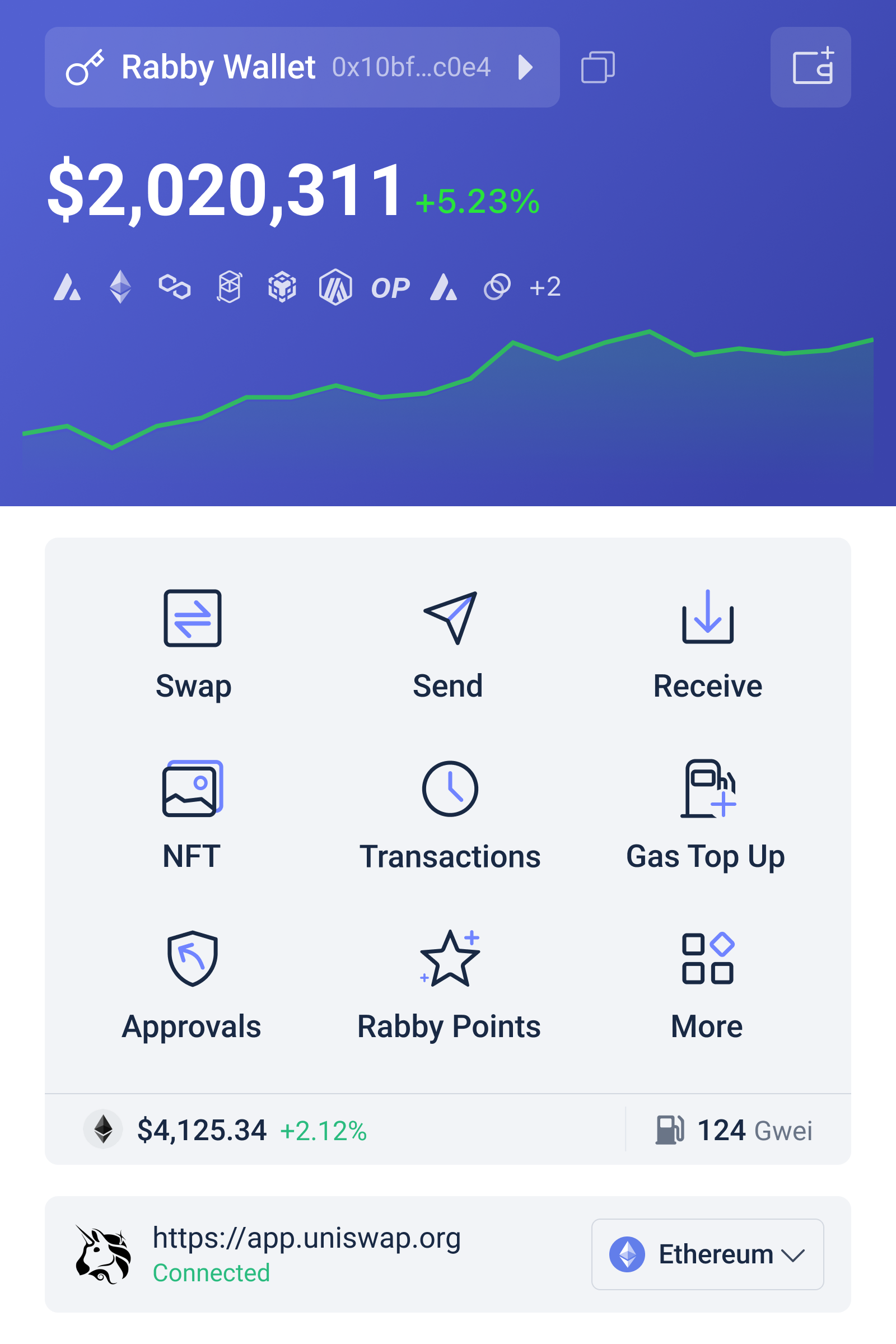
Why transaction simulation changes the wallet decision
A blockchain transaction is not merely a payment instruction. It is a request to execute code under specific conditions. When a user swaps tokens, stakes assets, or deposits into a lending protocol, the transaction may update several balances and permissions at once. A basic wallet can display the destination contract and the amount of native currency used for gas. That information is necessary, but it is often not sufficient for a meaningful risk assessment.
Transaction simulation attempts to show the likely result of execution before the transaction is broadcast. In practical terms, the wallet can estimate which assets will leave the account, which assets may arrive, whether an approval is being granted, and whether a call appears to produce an unexpected result. This creates a more useful mental model: the user is reviewing a proposed state change, not simply clicking “Confirm.” For experienced DeFi users, that distinction can reduce errors caused by confusing contract addresses, stale interfaces, or malicious transaction prompts.
Simulation is still an estimate, not a guarantee. It may depend on the selected network, available RPC data, current block conditions, and the assumptions used by the simulation system. A transaction can behave differently if the market moves, liquidity changes, a protocol’s state updates, or a contract depends on information that is difficult to reproduce off-chain. A successful simulation also does not prove that a protocol is solvent, fairly governed, or free from an exploitable vulnerability. Its value is narrower and more concrete: it can improve visibility into what a particular transaction appears likely to do.
Rabby compared with conventional browser wallets
Rabby and MetaMask-style general-purpose wallets
General-purpose browser wallets have a major advantage: familiarity. They are widely supported, easy to find in wallet-connect menus, and commonly used in tutorials, exchanges, and decentralized applications. That network effect matters. A wallet that works reliably with the applications a user needs may be more useful than a technically sophisticated alternative that creates compatibility friction.
The trade-off is that a conventional signing flow can place more interpretive responsibility on the user. The application may provide one description, while the wallet displays raw or semi-readable contract data. Token approvals can be especially difficult to evaluate because the immediate action may not transfer funds; it grants a contract permission to transfer tokens later. A DeFi-focused wallet that highlights approvals, balance changes, and known risk indicators can make this hidden second step more visible.
Rabby is therefore best understood as a decision-support layer around wallet signing, not as a replacement for blockchain judgment. It may be a strong fit for users who regularly move across Ethereum-compatible networks, compare protocols, or manage several positions. A casual user who makes occasional transfers may value the simplicity and broad familiarity of a general-purpose wallet more than additional analysis. More information is useful only when the user has enough context to interpret it.
Rabby and exchange-hosted wallets
For many people in the United States, a centralized exchange is the first point of entry into crypto. Exchange-hosted balances offer convenience, account recovery processes, and an interface that resembles online banking. They can also simplify fiat deposits and withdrawals. But an exchange account is not the same as self-custody. The user generally relies on the platform to control the underlying keys, process withdrawals, and maintain operational access.
A self-custodial Web3 wallet reverses that arrangement. The user controls the signing credentials and can connect directly to protocols without asking an intermediary to approve every interaction. That autonomy is the central benefit, but it comes with an equally central obligation: a lost recovery phrase, compromised device, or malicious approval can create consequences that customer support may not be able to reverse.
The comparison is not simply convenience versus ideology. It is a difference in failure modes. Exchange users face platform, account, withdrawal, and counterparty risks. Self-custody users face key-management, phishing, approval, and transaction risks. A transaction simulation feature may improve the latter category, but it does not eliminate it. Users should decide which risks they can realistically manage, not assume that self-custody is automatically safer.
Rabby and hardware wallets
Hardware wallets address a different problem. Their primary purpose is to keep signing credentials isolated from an internet-connected computer or phone. Even if a website is compromised, the attacker generally still needs the user to approve a transaction on the hardware device. This separation can materially reduce the impact of some malware and browser attacks.
However, hardware protection does not make a transaction economically or technically sound. A user can still approve a dangerous contract interaction after reading the wrong screen, misunderstanding an allowance, or trusting a fraudulent website. Combining a hardware signer with a wallet interface that provides clearer transaction interpretation can create layered protection: one component protects the key, while another helps the user evaluate the proposed action.
That combination introduces practical friction. Some advanced DeFi flows may require additional confirmations, network configuration, or troubleshooting. Users who trade frequently may be tempted to bypass careful review because signing becomes repetitive. Security controls work only when they remain usable under real conditions, including periods of market stress when speed feels unusually valuable.
The deeper issue: visibility is not the same as safety
One of the most persistent misconceptions in Web3 is that a warning system can determine whether an investment is good. Wallet security tools are generally better at identifying transaction-level concerns than judging financial merit. They may flag an unfamiliar contract, an approval, a suspicious address, or an unexpected asset change. They cannot reliably answer whether a liquidity pool’s yield is sustainable, whether a governance proposal will damage a protocol, or whether a token’s market price reflects reality.
This distinction matters because DeFi risk is layered. There is the risk of signing the wrong action, the risk that the contract contains a bug, the risk that an oracle supplies bad data, the risk that liquidity disappears, and the risk that a protocol’s incentives change. A wallet can improve the first layer and provide clues about some others, but it is not a substitute for contract review, position sizing, or independent research.
Approvals deserve particular attention. An approval is a permission recorded on-chain, often allowing a contract to spend a user’s tokens up to a specified amount. A user may complete a swap successfully and forget that the permission remains active. If the approved contract is later compromised or controlled by an attacker, the standing allowance may become a route to loss. Users should periodically review and reduce permissions where appropriate, especially after interacting with unfamiliar applications. Simulation can make the initial approval easier to notice; it does not automatically manage the permission forever.
A practical framework for choosing among wallets
Rather than ranking wallets on a single security scale, DeFi users can assess them across four questions. First, how much does the wallet explain before signing? Second, how well does it protect the signing key? Third, how broadly does it support the networks and applications the user actually needs? Fourth, how much operational complexity can the user tolerate without developing unsafe shortcuts?
For active DeFi participants, a Rabby-style workflow may fit when transaction interpretation is the main bottleneck. Users who frequently switch networks or interact with less familiar protocols may benefit from seeing likely asset changes before authorizing an action. For users whose highest concern is endpoint compromise or key extraction, a hardware wallet may deserve priority. For beginners who mainly buy, hold, and convert assets, an exchange-hosted account or a simpler wallet may reduce operational mistakes, although it introduces dependence on a centralized provider.
A sensible setup can also be segmented. A user might keep long-term holdings in cold storage, use a separate hot wallet for routine DeFi activity, and maintain a small experimental wallet for new protocols. This does not make losses impossible. It limits the amount exposed to any single approval, device, or application. The principle is similar to compartmentalization in other security systems: reduce the blast radius rather than assuming every barrier will work perfectly.
For users in the US, practical considerations include network fees, tax records, stablecoin exposure, and the distinction between custody and financial advice. A wallet can display transactions, but the user remains responsible for maintaining accurate records of swaps, liquidity actions, staking events, and transfers. The interface may simplify activity; it does not necessarily simplify the underlying tax or accounting treatment. Users should also be cautious when a wallet warning conflicts with an urgent message from a protocol or social-media account. Urgency is frequently a tactic for suppressing review.
What to watch as Web3 wallet design evolves
If wallet interfaces increasingly show simulated outcomes, the likely implication is that signing will become more interpretive and less dependent on raw transaction data. That could improve safety if simulations are accurate, comprehensible, and hard for malicious applications to manipulate. It could also create a new failure mode: users may treat a green indicator as a universal safety certificate. The important signal to watch is not the presence of a feature, but whether the wallet communicates uncertainty and explains what its checks do not cover.
Another open question is how wallets will balance privacy with useful risk analysis. More detailed screening can require more information about addresses, transactions, or application behavior. Users may welcome warnings while remaining uncomfortable with extensive activity profiling. The strongest designs will need to make that trade-off legible rather than hiding it behind a simple security label.
Frequently asked questions
Is Rabby safer than every other Web3 wallet?
No. Its transaction simulation and DeFi-oriented warnings may improve a user’s ability to review proposed actions, but safety also depends on key storage, device security, protocol quality, user behavior, and network conditions. A hardware wallet may offer stronger key isolation, while a simpler wallet may offer better compatibility for a particular application.
Can transaction simulation prevent a DeFi hack?
It can help identify some unexpected transfers, approvals, or contract interactions before signing. It cannot guarantee that a smart contract is secure, that a protocol will remain solvent, or that a market will behave normally. Treat simulation as transaction-level evidence, not as an audit or investment recommendation.
Should advanced users use both a Web3 wallet and a hardware wallet?
Often, that combination is sensible when the wallet interface supports the user’s applications and the hardware device protects long-term signing credentials. The arrangement adds friction, so users should test it with small amounts first and keep separate accounts for different risk levels. The best design is one that users will consistently operate correctly.
The sharpest way to compare Web3 wallets is to ask what kind of uncertainty each one reduces. A general-purpose wallet may reduce onboarding friction. An exchange may reduce key-management demands. A hardware device may reduce exposure of signing credentials. A DeFi-focused wallet may reduce uncertainty about the immediate effects of a transaction. None removes the need for judgment. For serious DeFi users, the most defensible choice is usually not the wallet with the loudest security promise, but the combination of tools that makes risky actions visible, limits potential losses, and remains practical enough to use carefully every time.
Why Your BNB Transaction Isn’t Just “Sent”: A Practical Guide to Reading BSC Activity
Surprising fact: a transaction marked "Success" on a wallet doesn't mean you avoided every risk — it only means the network executed the instructions contained in that transaction. On BNB Chain (formerly Binance Smart Chain), a single TX hash opens a much richer story: whether a token transfer was internal or standard, which contracts emitted events, how MEV builders might have ordered the block, and whether any BNB was burned along the way. For users and developers in the US tracking DeFi activity, understanding the explorer's mechanics is the difference between confident troubleshooting and guessing at causes when things go wrong.
This article unpacks how to read BNB Chain transactions with an explorer as your microscope. I'll correct three common misconceptions, show which explorer features matter for which problems, and leave you with a reusable checklist for investigating a transaction end-to-end.

Misconceptions that cost time (and sometimes funds)
Misconception 1: "Success = intended outcome." Reality: success means the EVM executed the call without reverting. A swap could succeed but route through an expensive pool or front-running sandwich and leave you with a worse-than-expected price. The explorer's event logs and token transfer tabs show what actually moved and which contracts fired events — crucial for reconstructing the executed path.
Misconception 2: "Gas paid is always minimal." Reality: gas metrics are contextual. The explorer shows gas price in Gwei, gas limit, gas used, and "transaction savings" (difference between limit and actual used). High gas paid can arise from complex contract calls, reentrancy-safe patterns, or attempts to jump the queue via MEV builders. Seeing a large fee should lead you to the internal transactions and logs instead of assuming network-wide congestion.
Misconception 3: "Internal transactions are invisible." Reality: they're visible but often misunderstood. Internal transactions are not native transfers — they're the outcome of contract execution. BscScan separates them from standard transfers so you can trace token flows between contracts. That distinction matters when auditing token burns, redistributions, or failed fallback logic.
How the explorer exposes mechanism-level details
A capable explorer is not a trophy; it's an instrument. On BNB Chain, several features translate raw chain data into investigative insight. Transaction pages show the 66-character TX hash, UTC timestamp, block number, and nonce — the nonce is your anti-replay signal, confirming the transaction's place in an account's sequence. The Code Reader lets you inspect verified Solidity or Vyper source, matching runtime behavior to human-readable logic. If a transfer invoked a function, event logs list the contract address, function name, topics, and data so you can see what arguments were emitted and whether the contract emitted expected safety events.
MEV Integration: The explorer now surfaces MEV-related metadata. That doesn't mean MEV is gone — it means you can observe builder-related ordering and infer whether a transaction might have been exposed to front-running or sandwich strategies. For practitioners this is a trade-off: visibility helps detect opportunistic ordering, but it doesn't prevent MEV on its own. The incentive problem remains unless protocols adopt builder-aware safeguards or bundles that protect sensitive trades.
Practical workflow: Investigate a suspicious swap
Step 1 — Start at the TX hash. Confirm block inclusion, UTC timestamp, and nonce. If the nonce is out of sequence locally, check pending queues in your wallet.
Step 2 — Read the gas table. Compare gas price and gas used against current network averages. A far higher gas price suggests either urgency, highly competitive MEV conditions, or a complex contract path.
Step 3 — Inspect event logs and token transfer tabs. Did the token transfers match the expected ABI output? If an expected Transfer event is missing, the token contract may be non-standard or the token used internal accounting.
Step 4 — Open the Code Reader. Verified contracts let you match the emitted events to code paths — helpful to detect hidden fees, tax mechanisms, or emergency owner-only functions.
Step 5 — Trace internal transactions. Many token movements between contracts (liquidity pools, router contracts) only appear here. If funds disappear into a contract with no owner tag, look at top holders and name tags to infer custodial exposure.
Trade-offs and limitations you should know
Visible does not equal complete. An explorer can display every on-chain action, but it can't see off-chain agreements, order flow arrangements, or private bribes between actors. MEV metadata improves situational awareness but cannot prove malfeasance without additional context. Smart contract verification is powerful, yet not every contract is verified; in those cases the Code Reader shows ABI-only or bytecode, and you must be cautious.
On privacy: public name tags increase transparency by labeling exchange deposit addresses and known services, but they also compress complex custody arrangements into single labels that can mislead if used uncritically. On scalability: as opBNB and BNB Greenfield expand the ecosystem, explorers will need to reconcile Layer 2 or storage-layer behaviors with Layer 1 traces; cross-layer linkage is improving but remains an area to watch.
Decision-useful heuristics for users and devs
Heuristic 1 — If a swap shows high gas and multiple internal transfers, assume multi-hop routing and check price impact across pools; refunds are rare once confirmed.
Heuristic 2 — For contract interactions, always check event logs before trusting balance changes. Events are emitted by contracts and are the canonical signal of internal logic outcomes.
Heuristic 3 — Use public name tags to triage, not to conclude. A deposit labeled "Exchange A" still requires cross-checking with the exchange's published deposit wallet list for fund recovery or dispute purposes.
What to watch next
Monitor three signals: increasing MEV builder complexity (more visible builder tags), the ratio of internal-to-standard transfers (rising numbers suggest more composable DeFi activity), and the rate of BNB burned (a systemic monetary signal). Any uptick in unverified contracts interacting with large volumes should raise an audit flag. These are conditional early-warning indicators: they do not prove systemic failure, but they change the prior probability that a given transaction involves sophisticated ordering or hidden token mechanics.
For developers building on BNB Chain, prioritize verified contracts and structured event design. For US users, be mindful of legal and custodial implications when large deposits go to labeled exchange addresses — on-chain transparency helps traceability but not legal remedy.
FAQ
Q: How do I tell if my transaction was front-run or sandwiched?
A: Look for adjacent transactions in the same block with similar token flow patterns: a buy before your TX and a sell after, both involving similar volume and route. Check MEV metadata and miner/builder tags on the block, and inspect event logs to reconstruct exact input amounts versus executed outputs. This pattern is suggestive, not definitive; proving malicious intent often requires deeper sequence and off-chain evidence.
Q: What does "internal transaction" mean and why should I care?
A: Internal transactions are value or token transfers that result from contract execution (contract-to-contract calls), not direct wallet-to-wallet transfers. They matter because many DeFi mechanics — fee collection, liquidity routing, and burns — occur internally. If you ignore internal transactions you miss where funds actually moved.
Q: Can I programmatically pull this data for monitoring or alerts?
A: Yes. The explorer exposes JSON-RPC and API endpoints that let developers pull block data, events, and address histories. Use them to build alerts for large burns, abnormal gas spikes, or sudden changes in top token holders. Remember API rate limits and the need to reconcile on-chain snapshots with off-chain context.
Q: Where should I go to look up a hash or contract quickly?
A: For direct lookups, use a blockchain explorer tailored to BNB Chain. A practical, central resource for these tasks is bscscan, which exposes transaction hashes, event logs, contract code, and MEV metadata in a single interface.